Blog · July 31, 2026
Chili cook-off on Saturday: how a volunteer fire department printed 40 window flyers before the weekend
With three days until the annual fundraiser, a small-town volunteer fire crew needed a poster that could hang in shop windows up and down Main Street. Here's how they built a photo-forward flyer with a brand QR that routed scans to the ticket page, and had 40 copies at the print shop before Thursday closed.
The Cedar Hollow Volunteer Fire Department has been running its chili cook-off on the village green for twelve years running. It funds new turnout gear, a couple of youth safety classes at the elementary school, and the coffee that keeps the crew standing at 3am calls. Every fall, one of the volunteers ends up hunched over a laptop trying to make a poster the night before.
This year it was Tuesday. The cook-off was Saturday. Ticket sales were quiet, and the chief mentioned, gently, that the shops on Main Street had always been happy to hang a flyer in their windows if someone dropped copies by. That gave the crew about a day and a half to design something, print forty copies, and walk them door to door before the hardware store locked up Thursday evening.
Nobody on the roster is a designer. What they had was a photo idea, a ticket page on the department website, and a short window before dinner. Here is how they used SkyCanvas to get from “we need a poster” to a stack of flyers at the print shop, without opening a single design tool they did not already understand.
1. Start at skycanvas.online
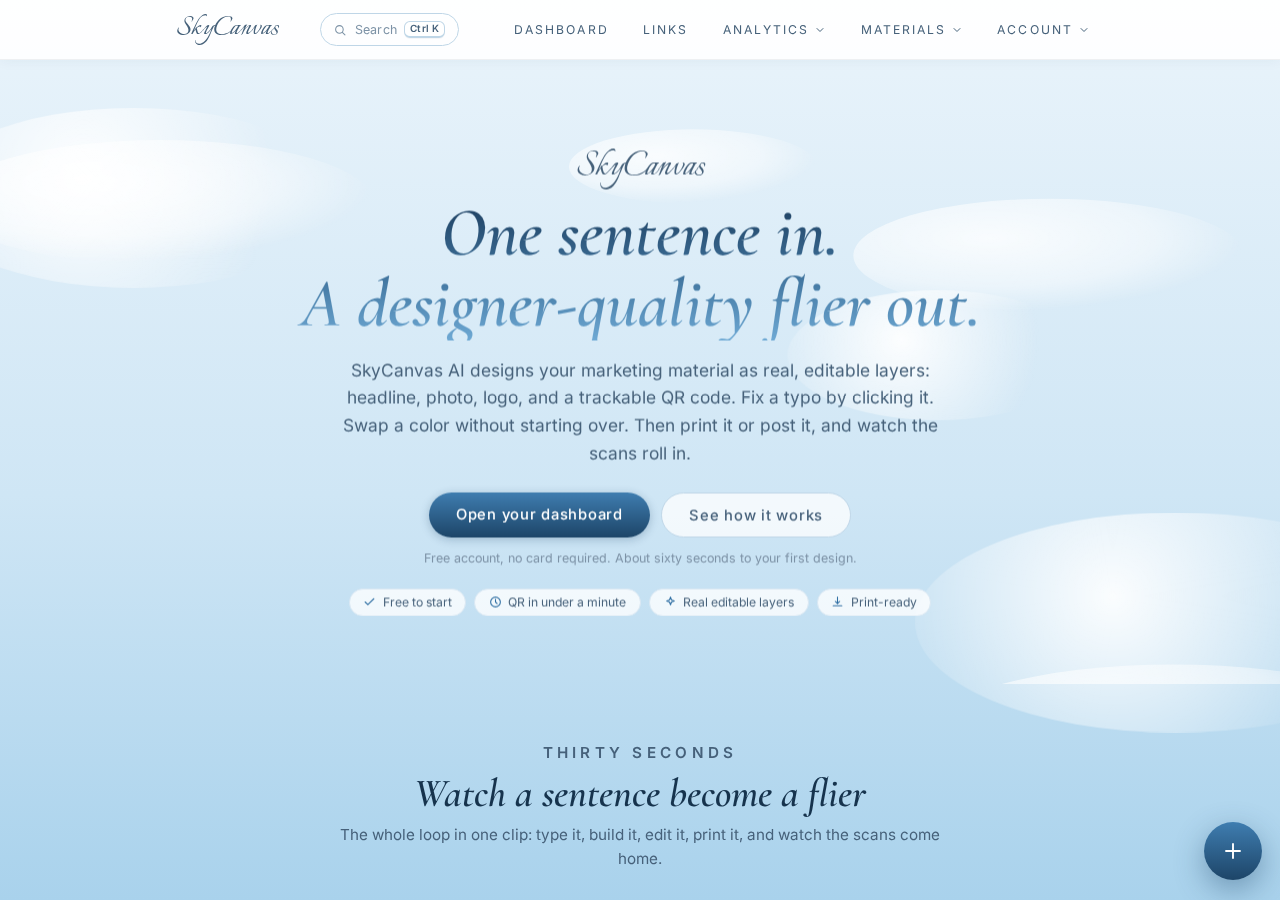
The homepage explains what SkyCanvas actually does: short links, branded QR codes, and a design canvas that can lay all of it into a real printable piece. For a small nonprofit with no marketing budget, that was the whole shopping list in one place.
The volunteer running point clicked through to sign up.
2. Create the account
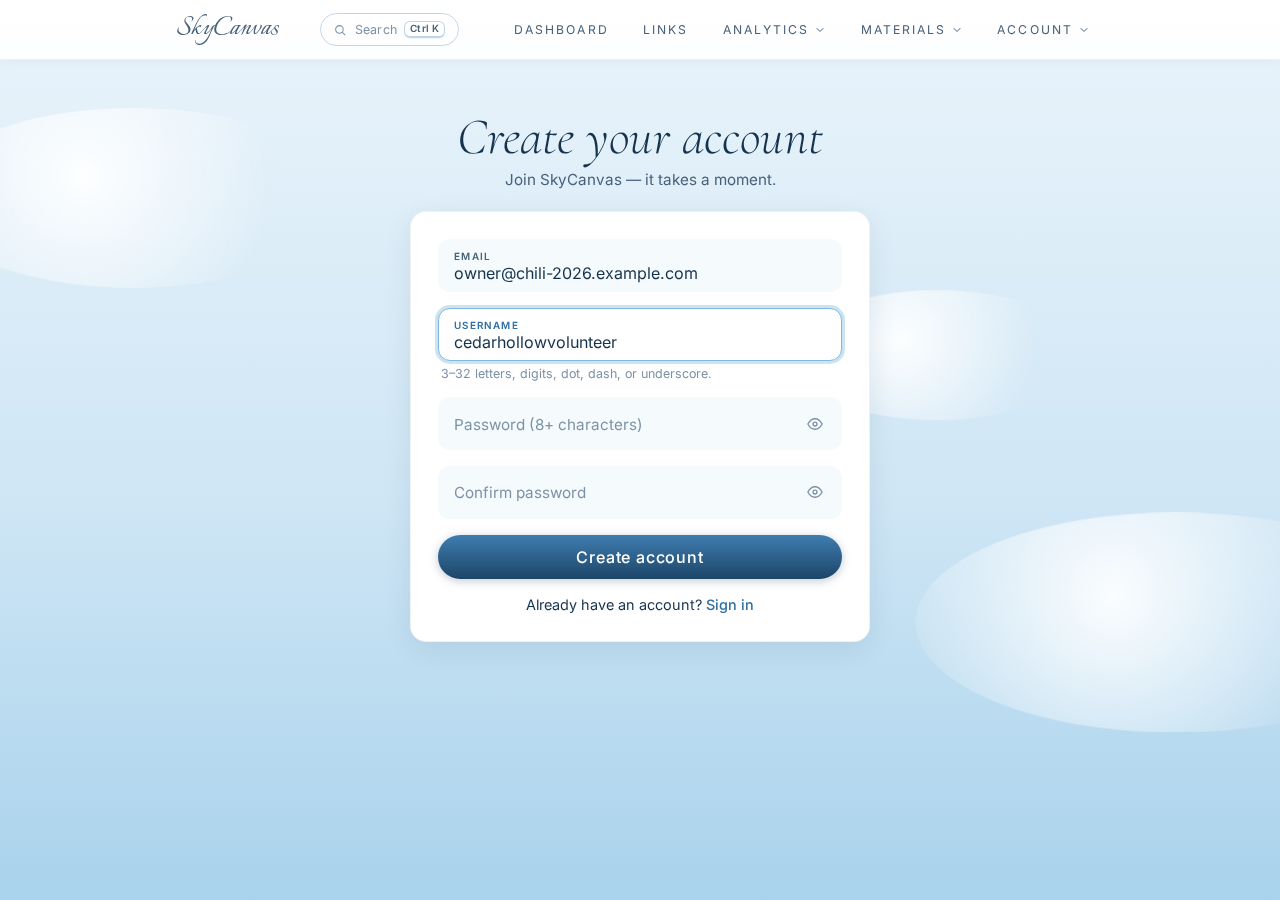
The signup form took about a minute. Email, a username, a password, and that was it. No credit card, no onboarding tour to click through before you could get to the work.
3. Land on the dashboard
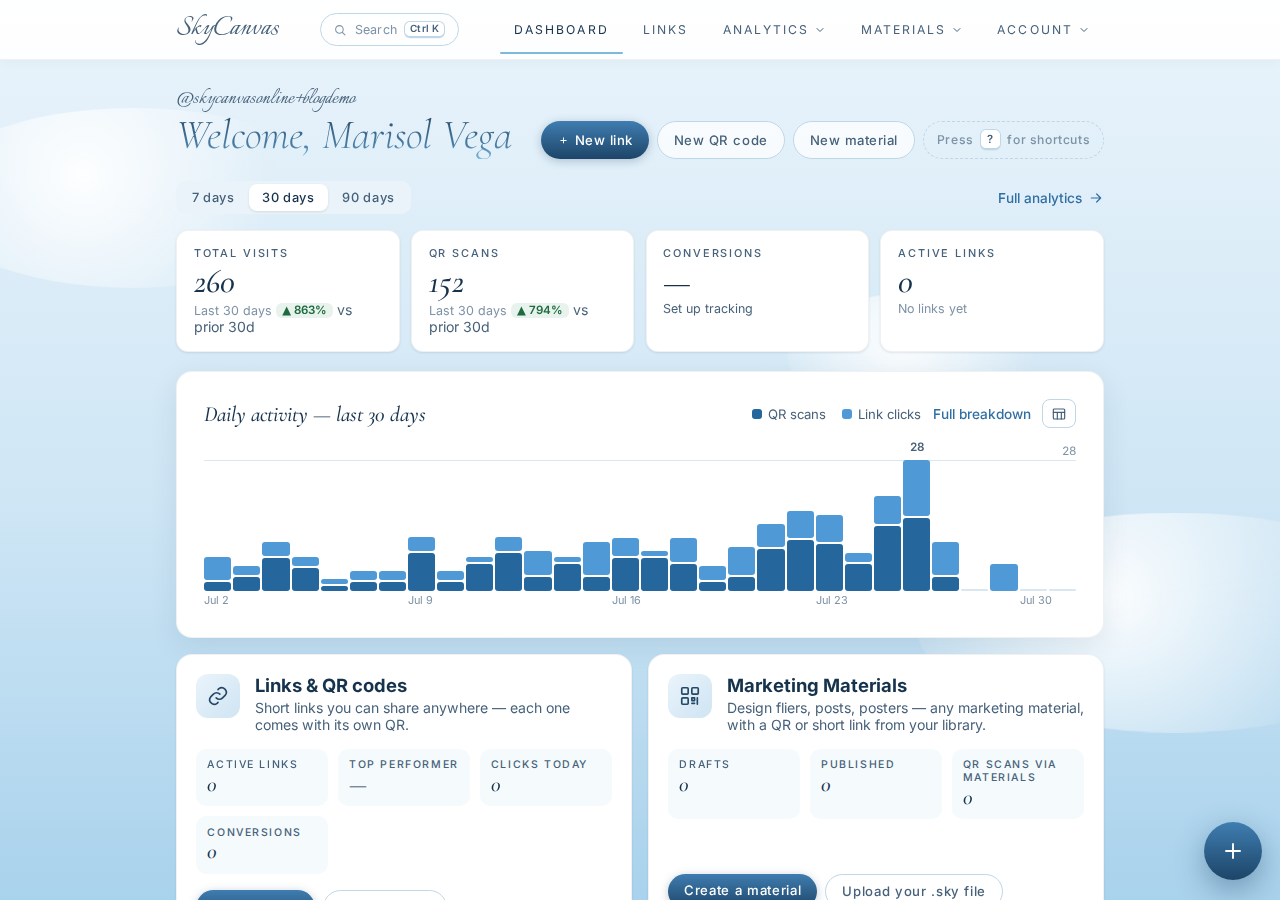
The dashboard opens with four KPI tiles across the top: clicks, QR scans, conversions, and total links. Below that is a daily activity chart. Everything is zero at first, which is honest and encouraging. It also tells you exactly where scans from the window flyers will show up on Saturday morning.
The chief liked that. Being able to say “we got 63 scans from Main Street” at the next meeting is a very different pitch than “the posters seemed to work.”
4. Build the short link
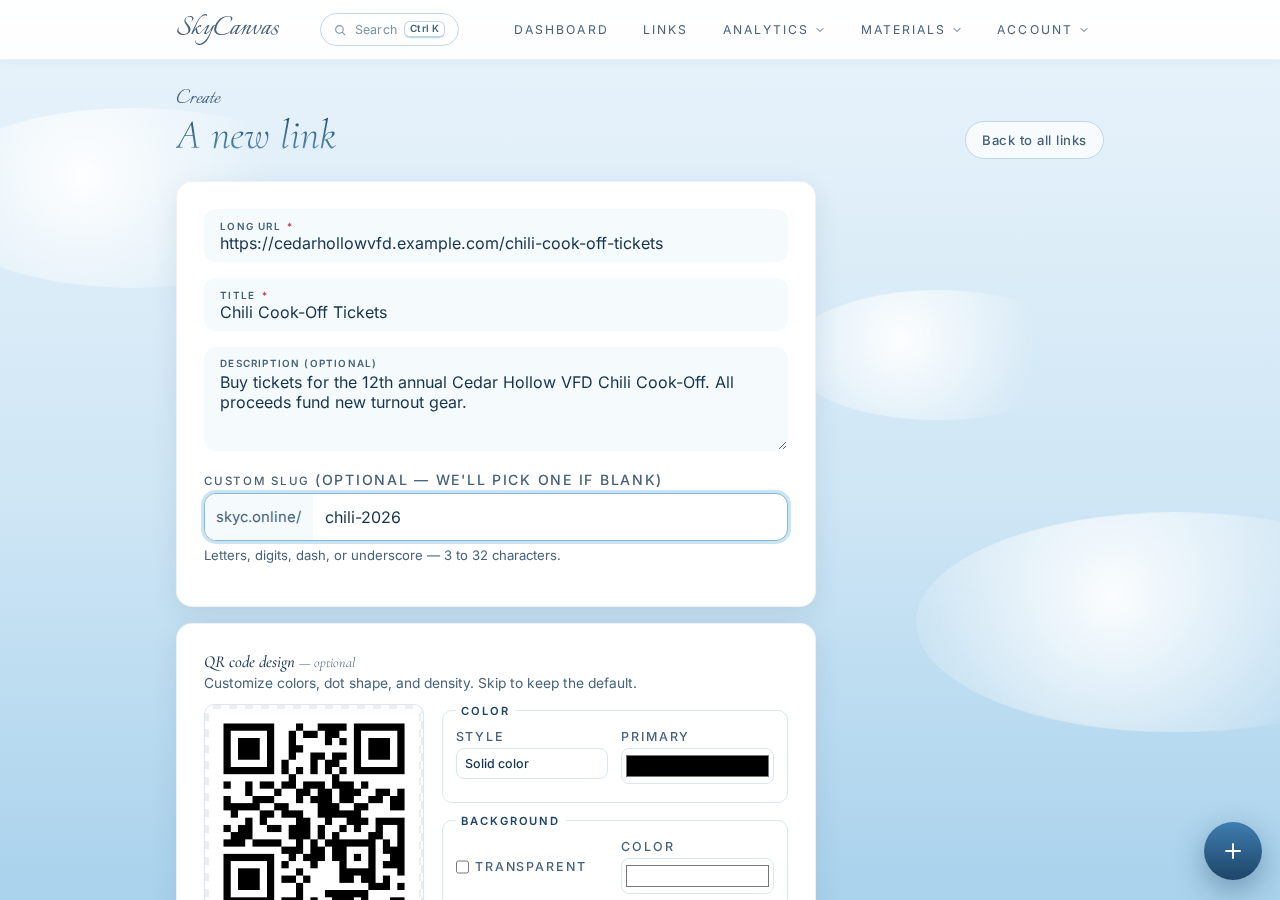
The ticket page on the department website is a long URL with a UUID in it. Nobody types that. The new-link form asked for the destination, a title, a short description, and a custom slug. They chose chili-2026 so it would read cleanly on the poster and in text messages.
On the right side of the form, a QR preview updates as you type. That preview is the same code that will end up on the flyer, so you can already picture what shop owners will see taped to their front windows.
5. Grab the short URL and default QR
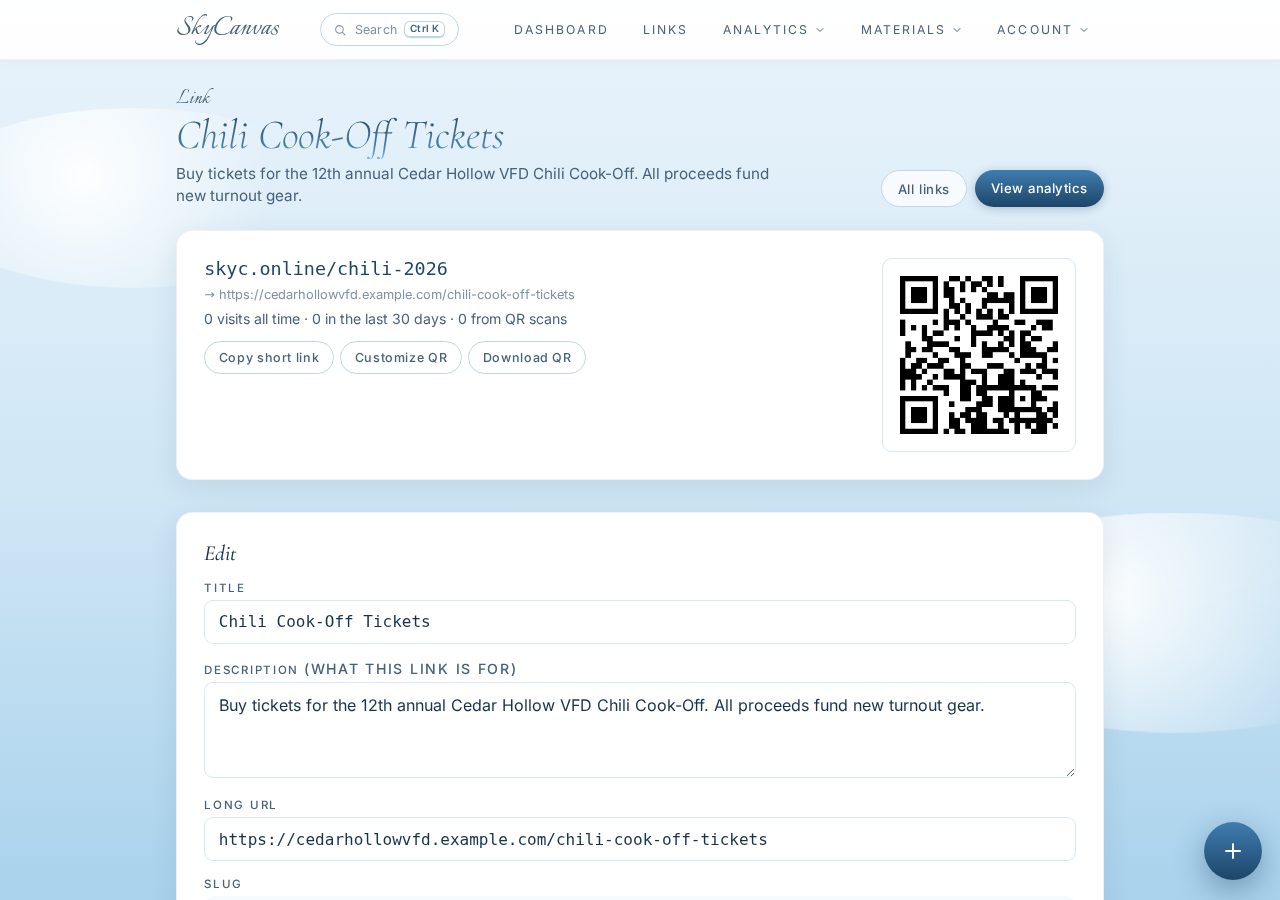
Once the link saved, the detail page laid out everything the crew needed: the short URL skyc.online/chili-2026, the destination it points at, and a downloadable QR code. The short URL alone was already useful. It fit on a chalkboard sandwich sign at the general store, and it fit inside a group text without wrapping.
6. Style the QR in the department colors
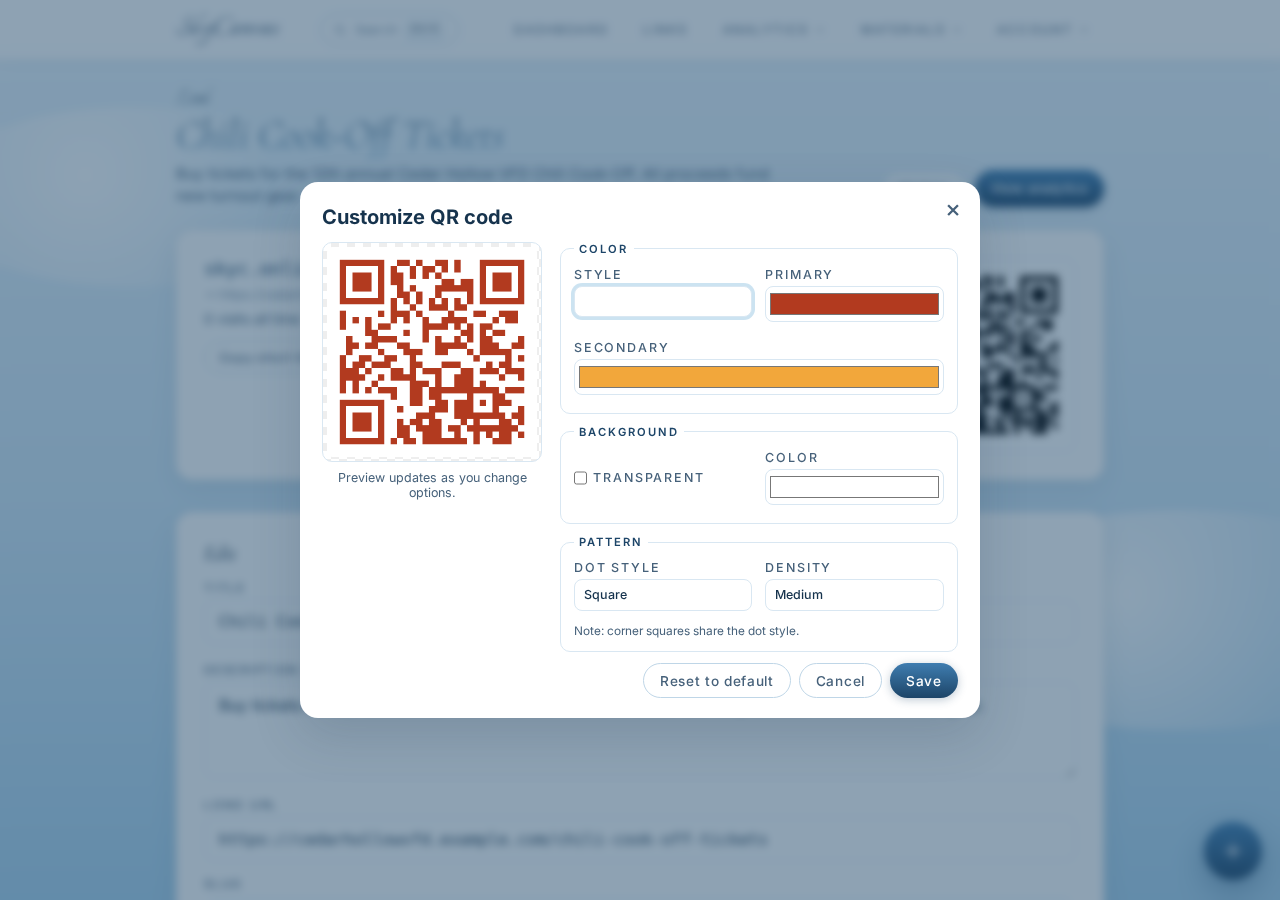
Cedar Hollow VFD has two colors people recognize on sight: fire-engine red and ember orange. The QR customization panel let them set the module color to that same red gradient into orange, on a clean white background. The preview updated live, and the code still scanned cleanly from across the kitchen table when they tested it on a phone.
That is the small detail that made the poster feel like the department made it, not a generic template.
7. Start a new flyer and attach the link
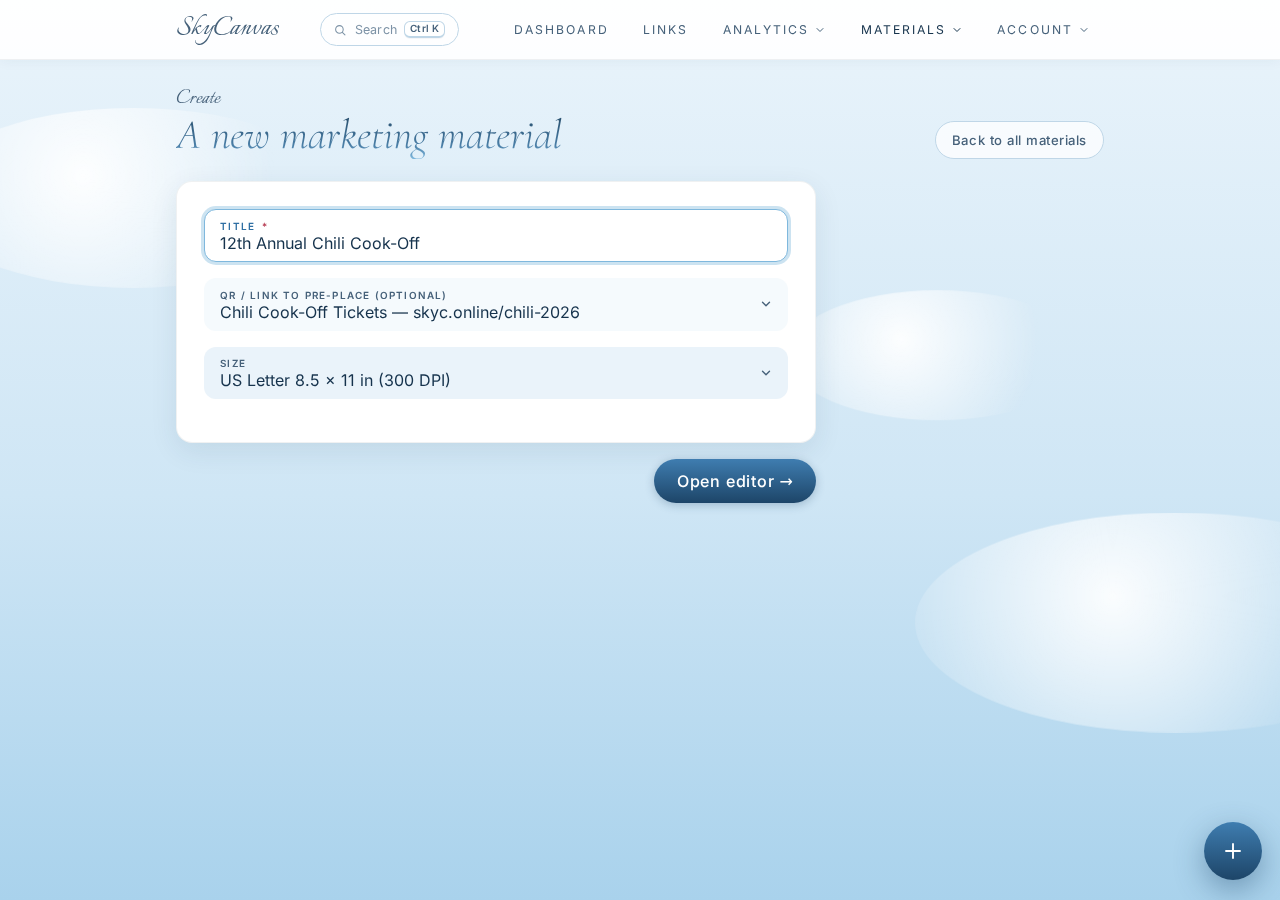
From the dashboard, the crew started a new design. They named it 12th Annual Chili Cook-Off, picked the US Letter size preset so it would print at the local shop without resizing, and selected the chili-2026 short link. Attaching the link at this stage means the branded QR gets placed into the design automatically, without any copy-pasting of images.
8. Open the editor
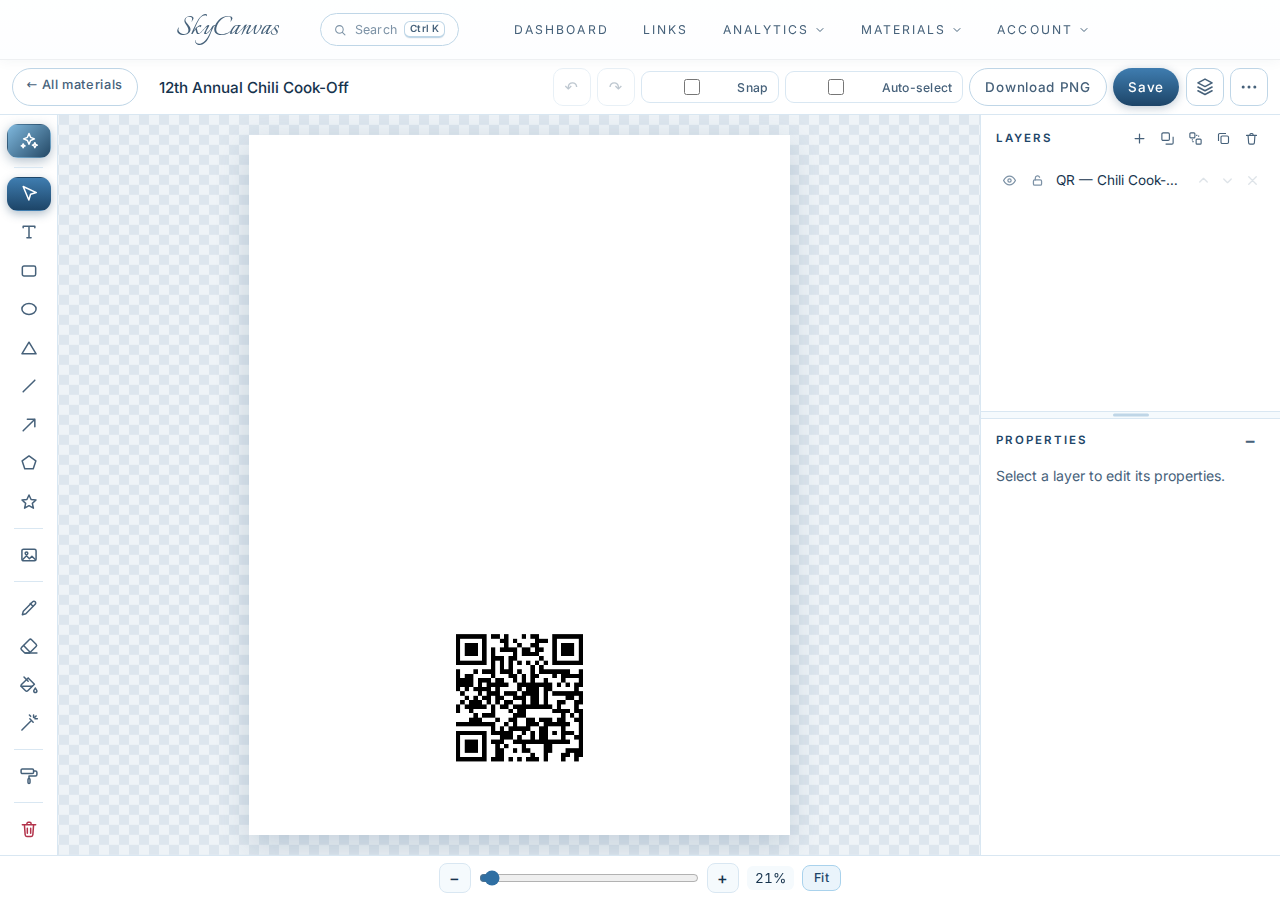
The editor looks like what a small-town volunteer would hope for: a canvas in the middle, drawing tools on the left, a layers panel on the right, and a Design with AI button in the toolbar. Nobody on the roster wanted to spend the evening picking fonts, so they clicked straight into the AI flow.
9. Write the brief and pick a real photo background
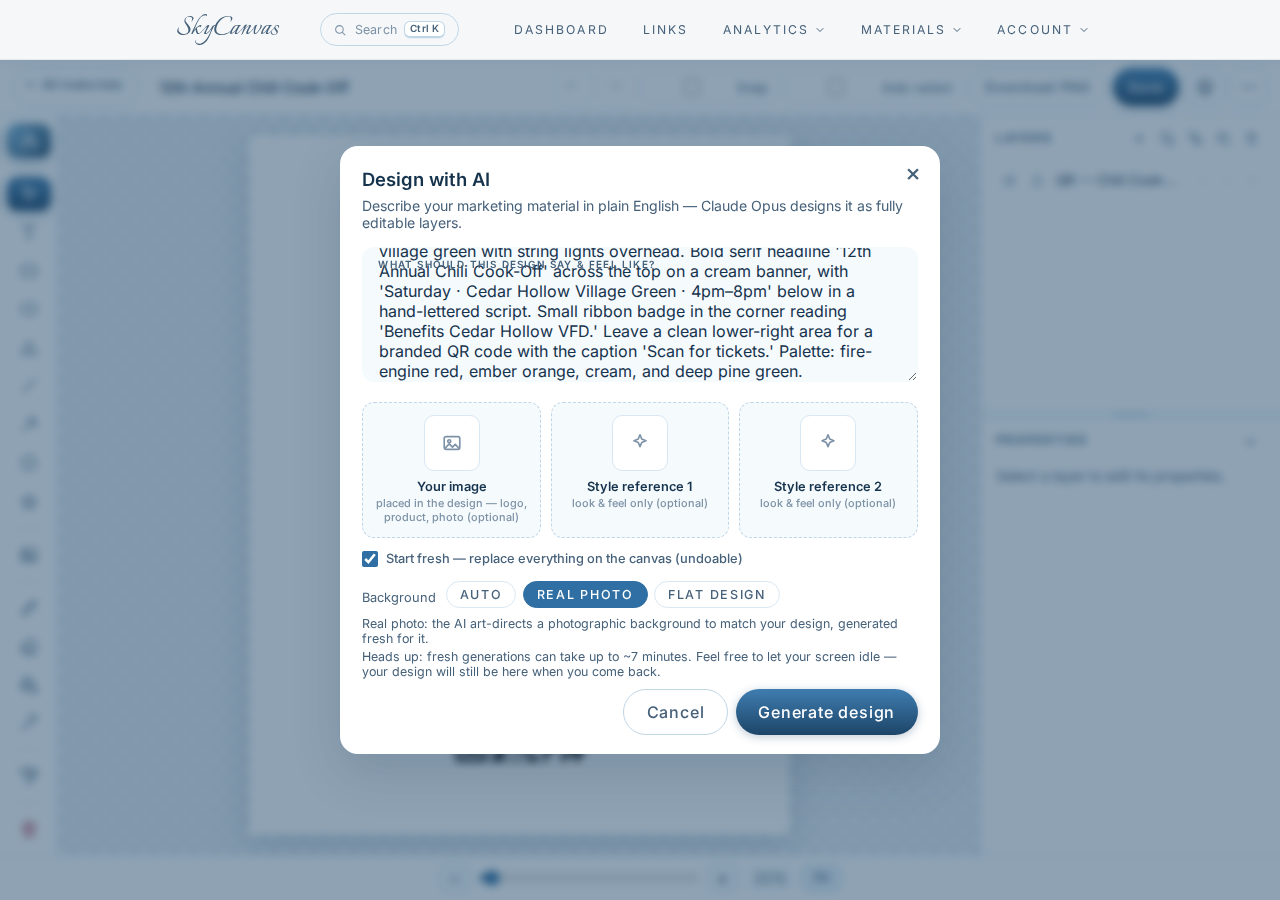
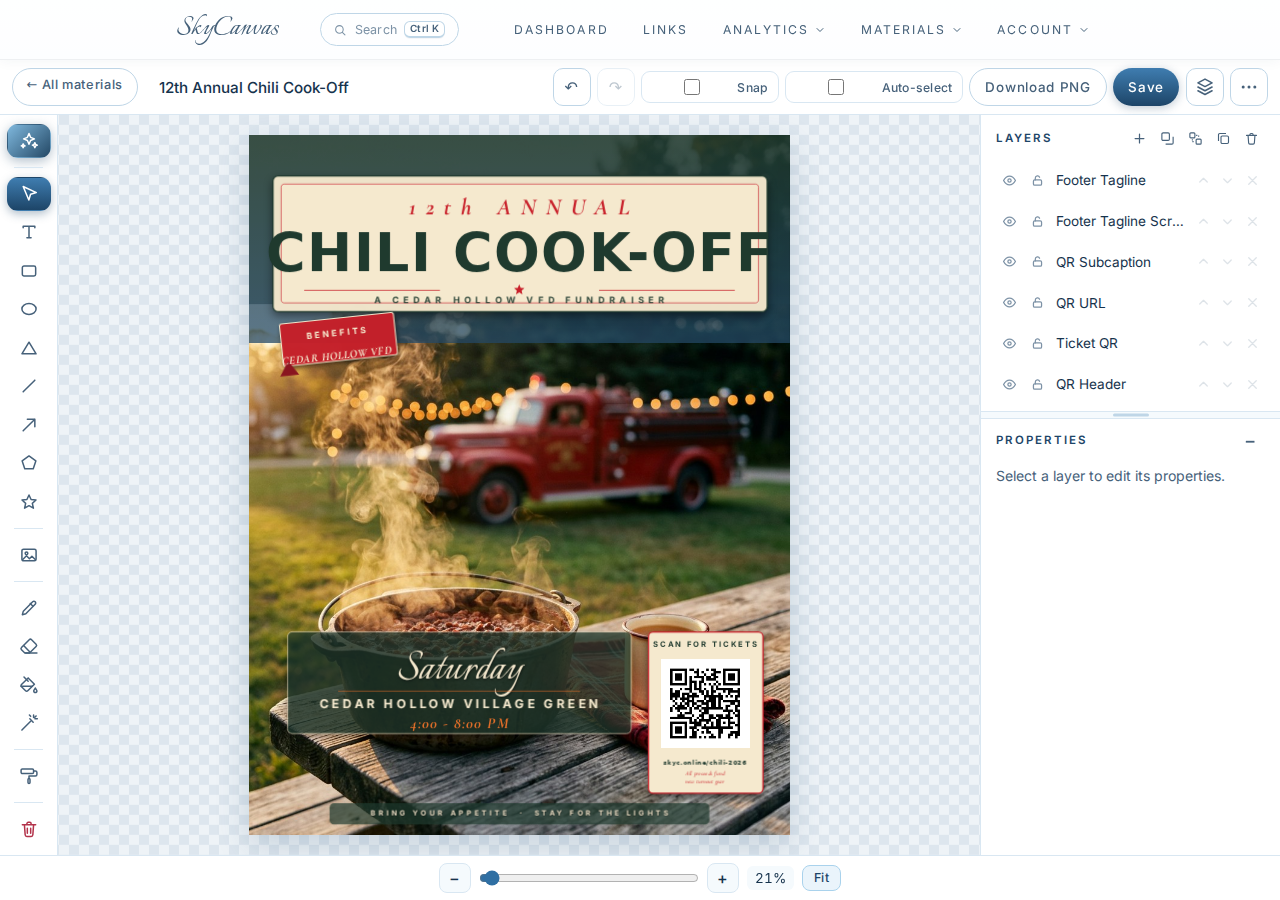
The brief was a paragraph in plain English: a cast-iron pot of deep red chili on a weathered picnic table, steam curling into late-afternoon light, a red plaid napkin and an enamel mug of cider, and a soft-focus vintage red engine on the village green in the background. Cream banner across the top for the headline. Ribbon badge reading Benefits Cedar Hollow VFD. A clean lower-right corner for the QR with the caption Scan for tickets.
They chose Real photo as the background mode so the result would look like a genuine photograph rather than an illustration, which is the tone shop owners on Main Street respond to.
10. The finished flyer, still fully editable

The result landed on the canvas exactly the way they had described it. The bold serif headline 12th Annual Chili Cook-Off sits on a cream banner across the top. The photograph does the heavy lifting: the pot, the steam, the red engine parked under string lights, the mug of cider in the corner. The branded red-and-orange QR is nested cleanly into the lower right, with Scan for tickets just underneath. The ribbon badge for the VFD is where they asked for it.
The important part is that every piece is an editable layer. The date line was tightened, the ribbon nudged half an inch, and the export button gave them a print-ready PDF. Forty copies at the print shop on Wednesday morning, walked to the shops on Thursday afternoon, taped to windows by dinner.
What changed for Cedar Hollow VFD
By Saturday morning the dashboard was quietly ticking. Scans from skyc.online/chili-2026 meant the crew could actually see the hardware store window pulling traffic, and the coffee shop pulling even more. Ticket sales beat last year for the first time since the pandemic, and the chief has already asked who is running point on the pancake breakfast in the spring.
If your group has a Saturday coming up and no poster yet, you can start where they did. Sign up at skycanvas.online/register, make one short link with a color you love, and let the AI draft the first version of your flyer while you finish your coffee.
Cedar Hollow VFD is a fictional business we created to show a real SkyCanvas workflow. Every screenshot is real, captured live while writing this guide.