Select the footage that matters
Choose exactly which analyzed Brand Kit clips belong in this campaign. A design can guide the visual story, while your selected footage remains available either way.
AI video, with you in the edit
Choose the brand clips you want, add an optional design, and pick the tracked link for your call to action. SkyCanvas writes the concept and full script, generates the missing scenes, scores the film and assembles a campaign-ready cut you can review throughout.
Review the story and script before final generation.
The working edit
Open the plan to review selected Brand Kit clips, generated takes, the scene timeline and every story field in one place.
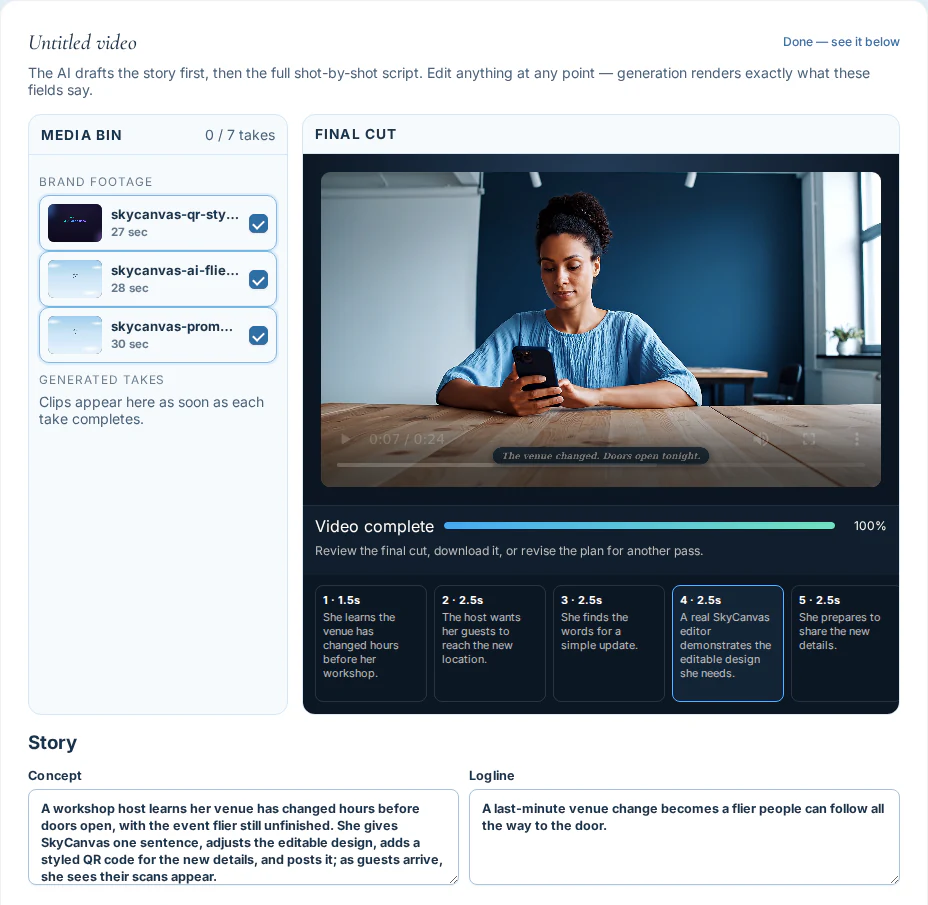
Made with the generator
This 24-second campaign combines generated scenes, a real product demonstration and a tracked QR call to action.
A visible creative process
The editor stays useful while generation runs, so you can make decisions before another take costs time.
Choose exactly which analyzed Brand Kit clips belong in this campaign. A design can guide the visual story, while your selected footage remains available either way.
Review the concept, opening hook, vibe, scene timing, footage source, captions, end card and music direction. Re-draft the script around your edits before rendering.
Generated clips arrive in the media bin as they finish. Preview them beside the live timeline while the remaining scenes continue in the background.
Force stop if the direction is wrong. Your script and completed takes remain available so you can edit, reuse good work and resume with better instructions.
Company details, brand voice, colors, logo and selected reference assets guide the concept, generated scenes, titles and end card.
Every video uses the link attached to its selected design or a tracked link you choose. The final end card displays that short URL and its QR code.
From library to launch
Pick the footage, format, length, optional design and tracked link for this campaign.
Read and edit the concept and scene-by-scene script until it says what your business needs.
Watch takes arrive, stop when needed, and download the polished final video when it passes review.
Bring the footage. SkyCanvas helps you find the cut.
Create your first videoCreate an account and build your Brand Kit to begin.
Preview updates as you change options.