Blog · July 19, 2026
A food truck's first week online: short link, brand QR, and an AI-made poster
How Tres Limones Tacos, a brand-new Austin food truck, set up a shareable short link, a brand-colored QR, and a photographic AI poster on SkyCanvas in one afternoon.
Marisol and her brother Diego opened Tres Limones Tacos three weeks ago. It is a small truck they park at a different Austin food market almost every night, and the whole thing runs on a three-lime salsa their grandmother taught Marisol to make every morning at 5 a.m.
The tacos are good. That was not the problem. The problem was that nobody outside a two-block radius could actually find them. Their menu lived in a Google Doc. Their weekly schedule lived in Marisol’s phone. When a regular asked, “where can I send my coworker to see tonight’s stops?” she had no good answer. A friend printed them a chalkboard sign that just said the truck’s name, which looked lovely and pointed to nothing.
They gave themselves one afternoon to fix it. The goal was small and specific: one link they could send anywhere, one QR they could stick on the window, and one printable poster for the side of the truck that didn’t look like it was made in Word. Here is exactly how that afternoon went on SkyCanvas.
1. Create the free account
We started at skycanvas.online/register. The form is short: email, a username, a password. Marisol picked treslimonestacos as the handle so their future short link and public profile would both read cleanly.
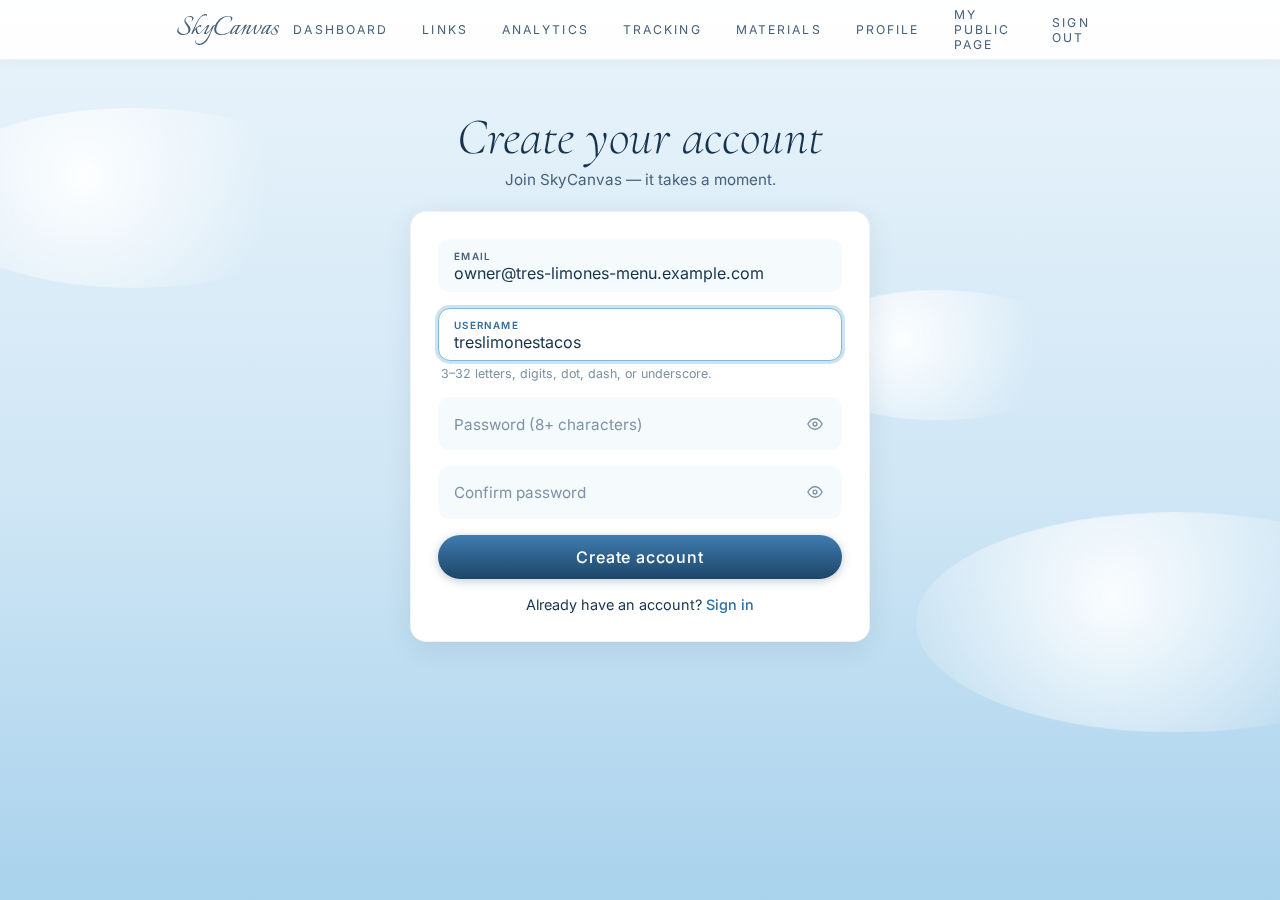
No credit card, no plan picker. Sign up, land inside.
2. Land on the dashboard
The dashboard is the home base once you are signed in. Four tiles across the top: total visits, QR scans, conversions, active links. On day one every number is a zero, which is the correct honest starting point.
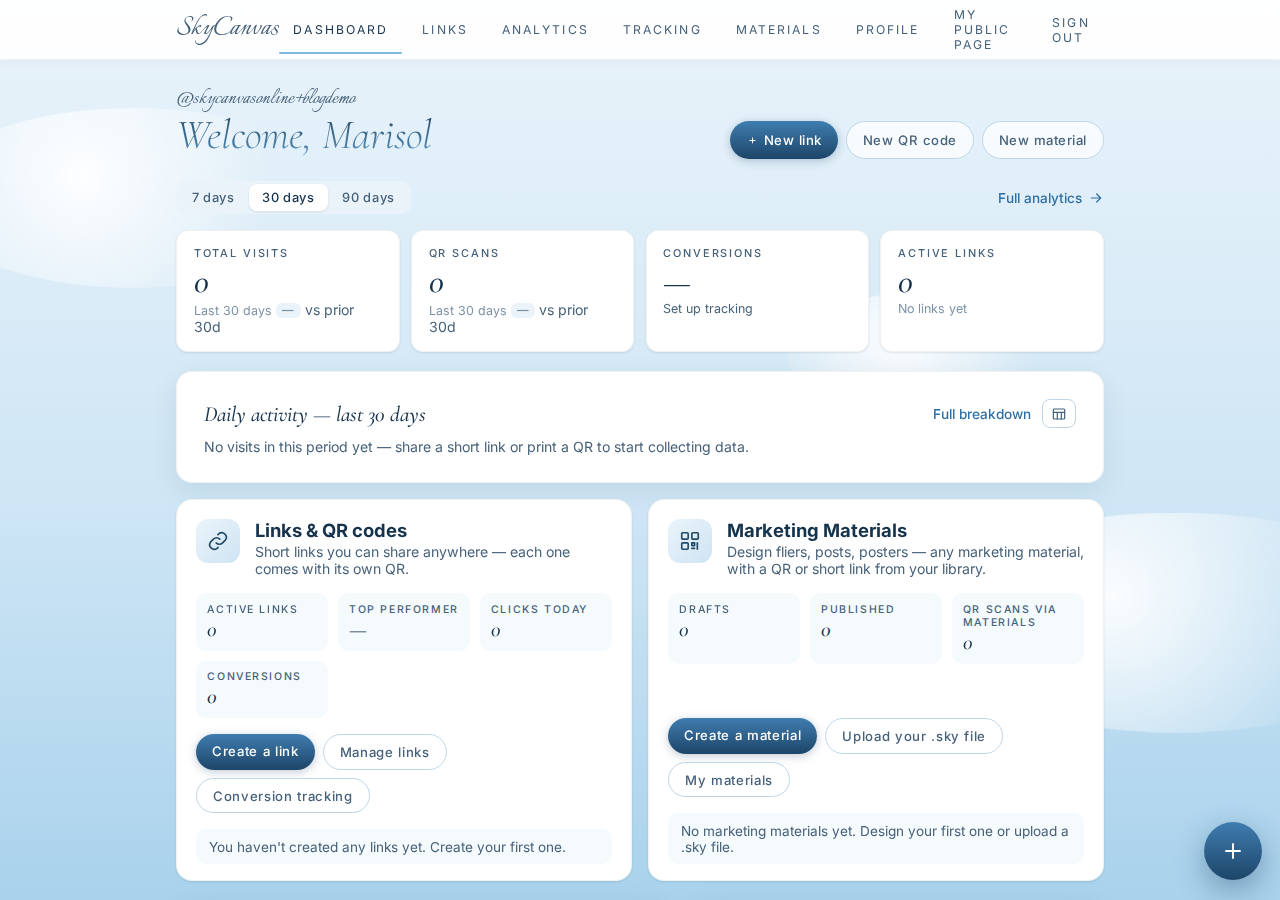
The two blocks below it, Links & QR codes and Designs, are the two doors we would walk through next. But before that, we filled in the profile so anything the AI later designed for the truck would already know who the truck was.
3. Fill in the business profile
Profile in the top nav. There are two sections: personal (just a display name, “Marisol”, and a location, “Austin, USA”) and company. The company section is where the interesting work happens, because SkyCanvas’s AI designer reads it later.
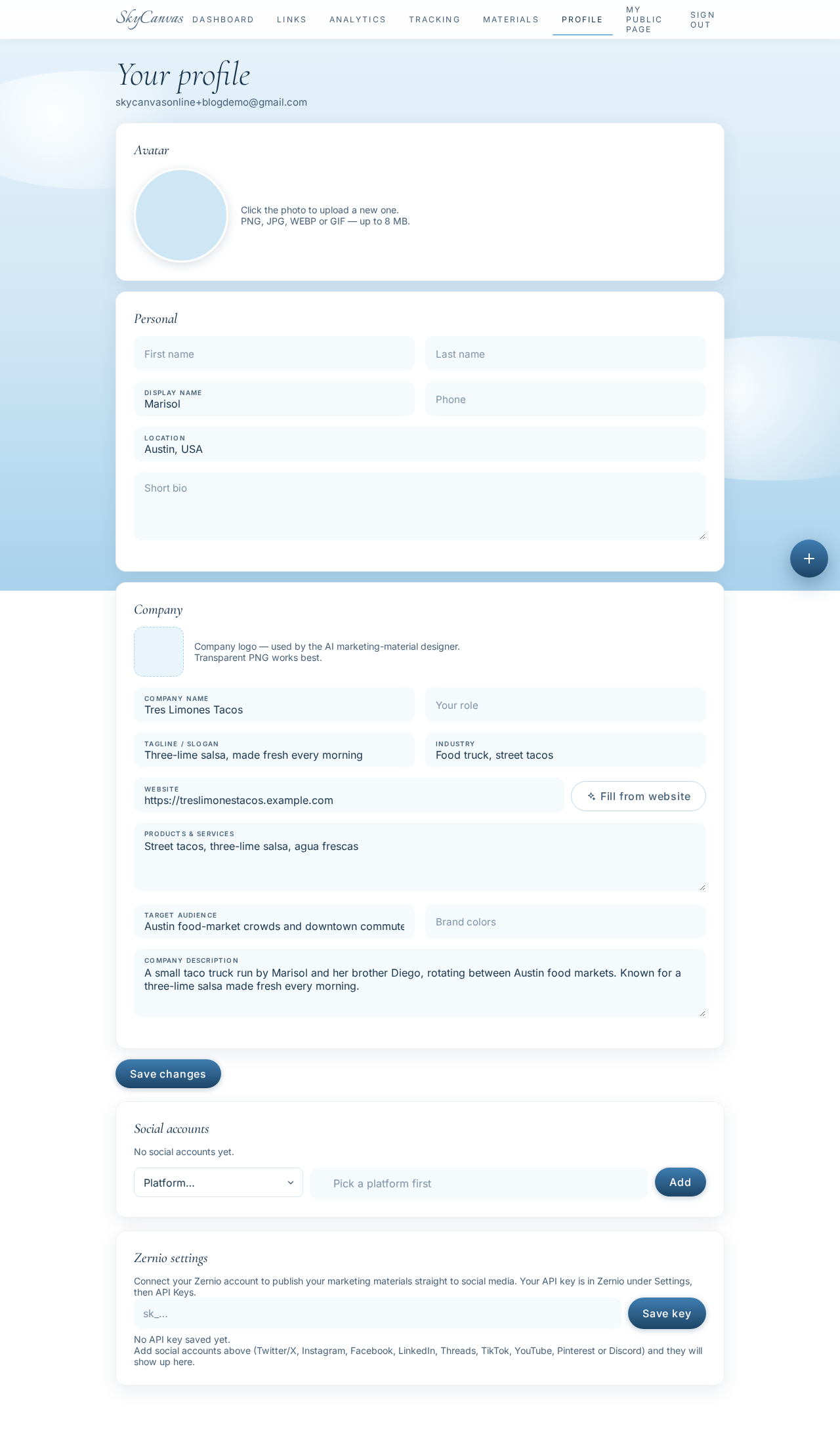
We filled in:
- Company name: Tres Limones Tacos
- Tagline: Three-lime salsa, made fresh every morning
- Website: their
treslimonestacos.example.complaceholder - Industry: Food truck, street tacos
- Products & services: Street tacos, three-lime salsa, agua frescas
- Target audience: Austin food-market crowds and downtown commuters
- Description: the one-paragraph bio about a small truck run by two siblings, rotating between Austin food markets
That is it. There is a “Fill from website” button that will read a real site and do most of this for you, but Tres Limones’s website is a work in progress, so Marisol typed it. Save changes, and every downstream tool now knows the vibe.
4. Make the short link for tonight’s menu
Back to the dashboard, then New link. The form asks for a destination URL, a title, a description, and, optionally, a custom slug. We pointed it at treslimonestacos.example.com/menu, titled it “Tonight’s menu”, added a one-line description, and set the slug to tres-limones-menu so the finished URL would read like the business.
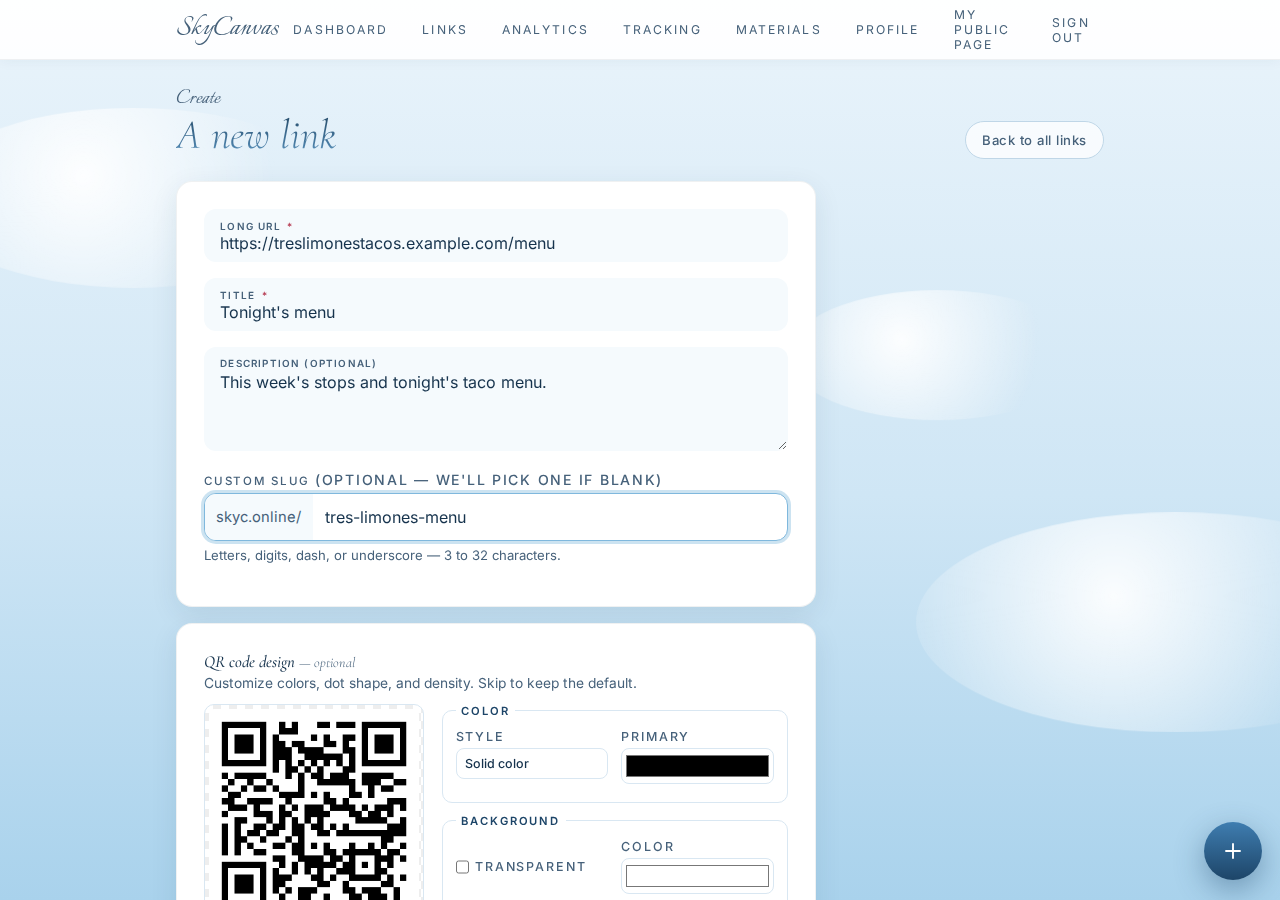
A live QR appears on the right as you type, which is a small thing that saves the “wait, will this actually scan?” anxiety.
5. Grab the short URL and the QR
After saving, the link detail page shows everything in one place: the short URL, the destination it forwards to, a rolling stats line (zero on day one), and a downloadable QR.
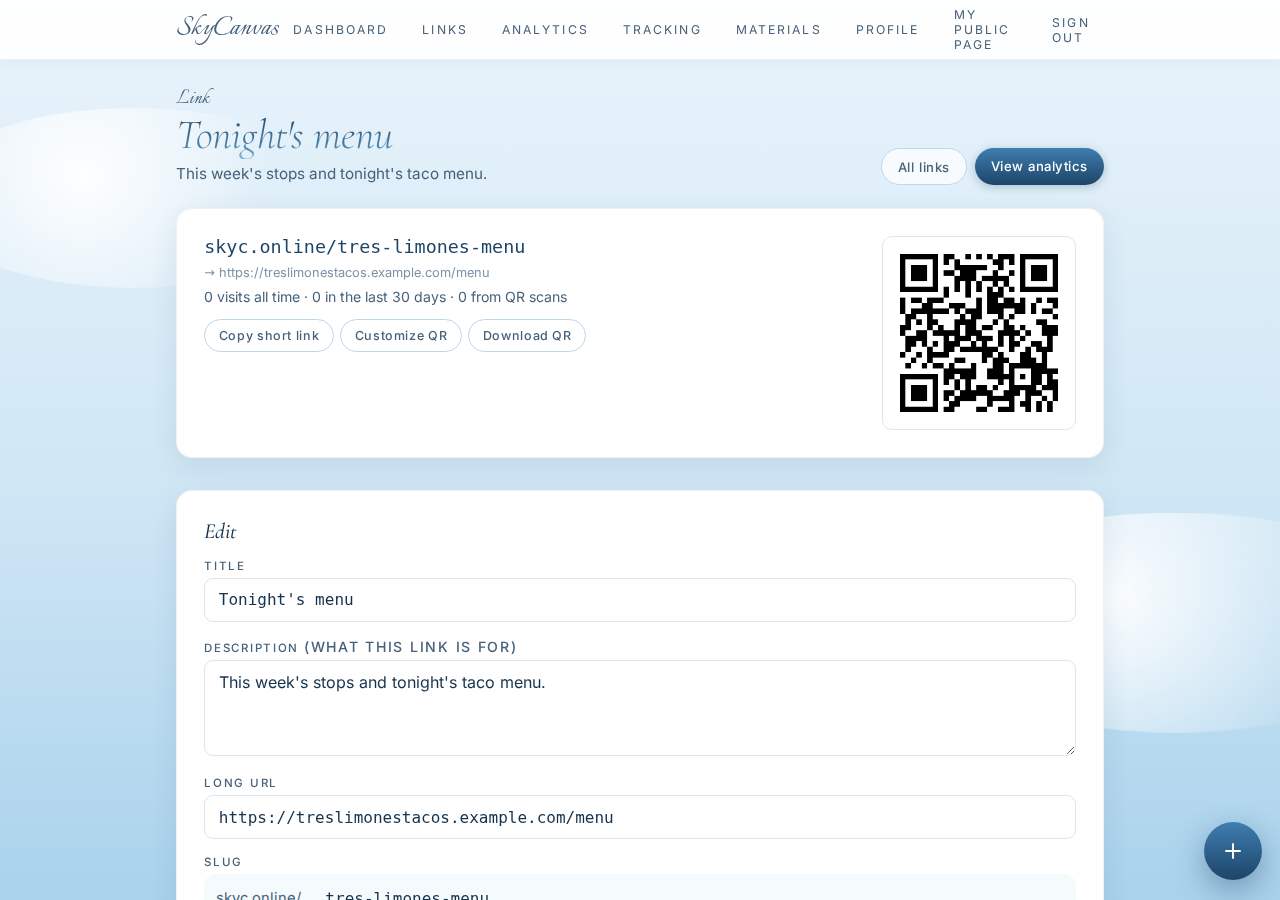
The finished link is skyc.online/tres-limones-menu. Short enough that Marisol can say it out loud at a busy market and someone can type it before their coworker even looks up. Copy short link, Customize QR, Download QR, all right there.
6. Restyle the QR in the truck’s colors
The default QR is fine, but a black-and-white square on a taco truck is a missed opportunity. Click Customize QR and a small modal opens with a live preview on the left and controls on the right: two color swatches for primary and secondary, a background color, a dot style, and density.
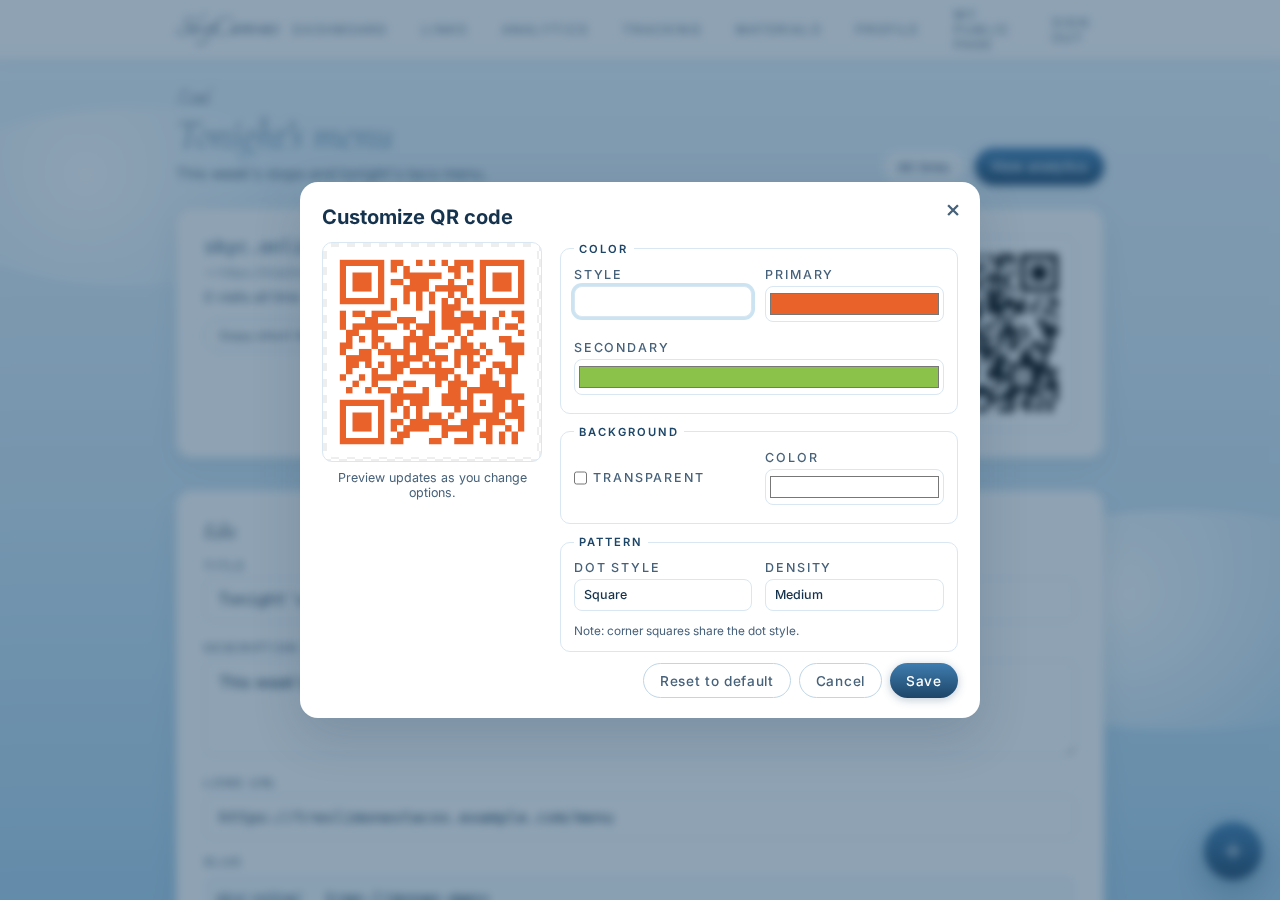
We set the primary to Tres Limones’s sunset orange (#E8622A) and the secondary to lime green (#8BC24A). Background stayed white for scanning contrast. The preview updates as you nudge. Save, and the download and every place this QR shows up later, including the poster, uses the new colors.
7. Start a design and pre-place the QR
Now the poster. From the dashboard, New Design. The form asks three things: a title, an optional QR/link to pre-place, and a size preset.
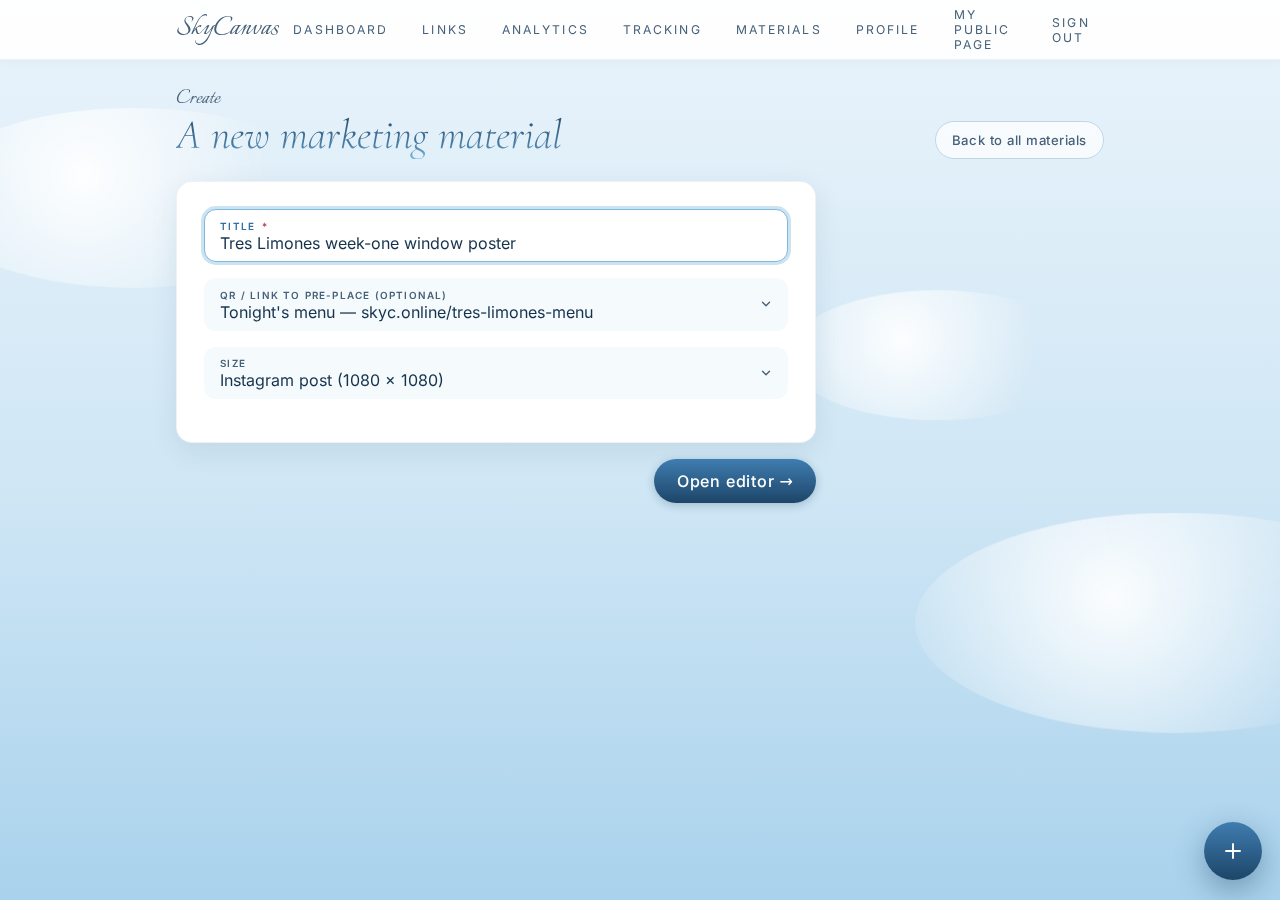
Title: “Tres Limones week-one window poster”. Under QR/link, we picked the Tonight's menu link we just made, which is the crucial step: choosing it here means the finished design will have the real, scannable QR embedded, not a placeholder. Size: Instagram post (1080 × 1080), which reads nicely both taped in the window and posted on Instagram later.
8. Open the editor
Open editor drops you into a real canvas. Toolbar down the left (text, shapes, brush, bucket, layers). Layers panel on the right. The QR we selected is already sitting on the canvas as its own editable layer.
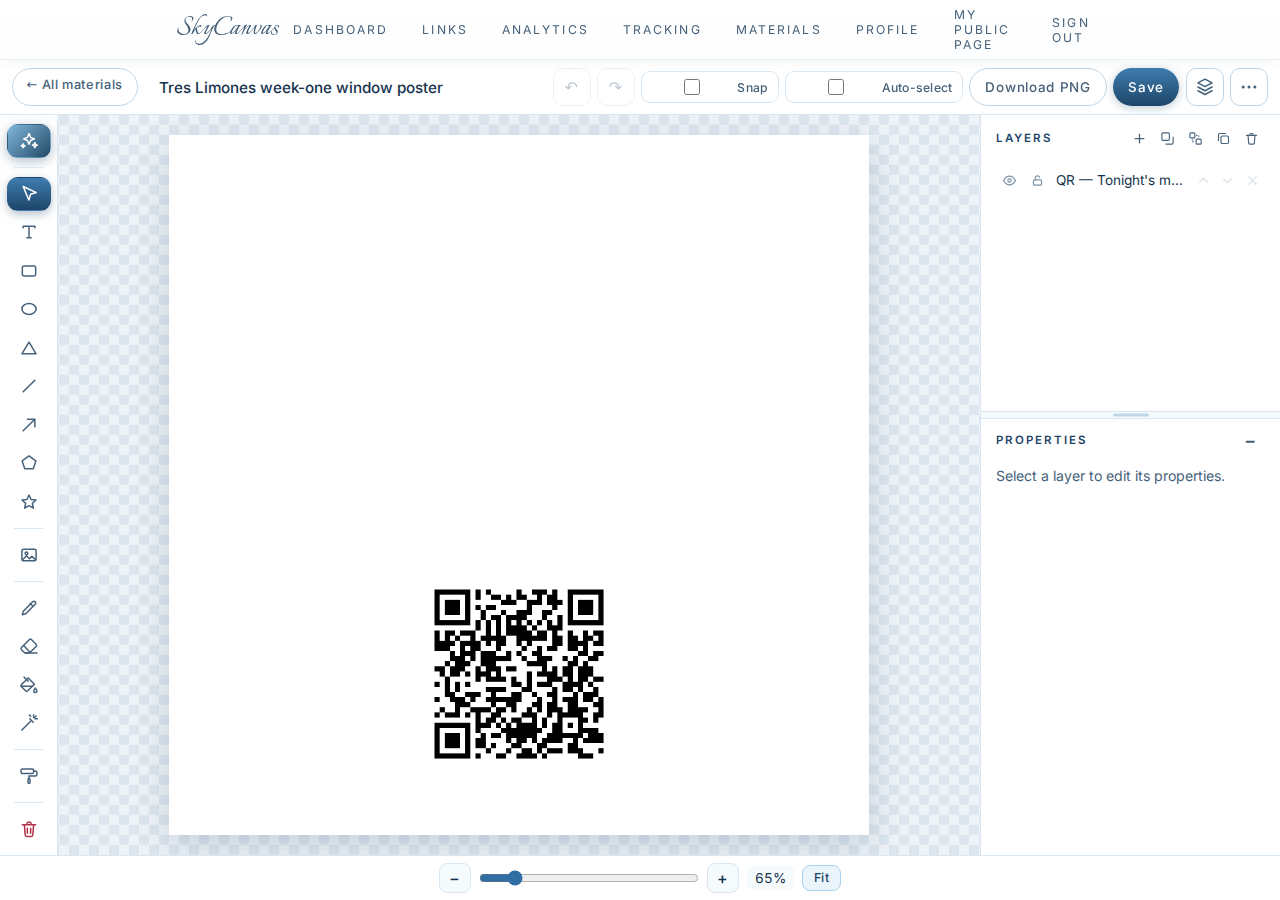
You could design the whole poster by hand from here. Marisol and Diego did not want to. They wanted the AI to do the first draft and then tweak. Top-left toolbar, the sparkle icon: Design with AI.
9. Write a vivid, photographic brief
The Design with AI modal is just a text box and a background-mode picker (Auto, Real photo, Flat design). Real photo is the one that gives you a photographic background art-directed to fit the design, and it is what turns a plain flier into something you would actually stop for on a sidewalk. We picked it.
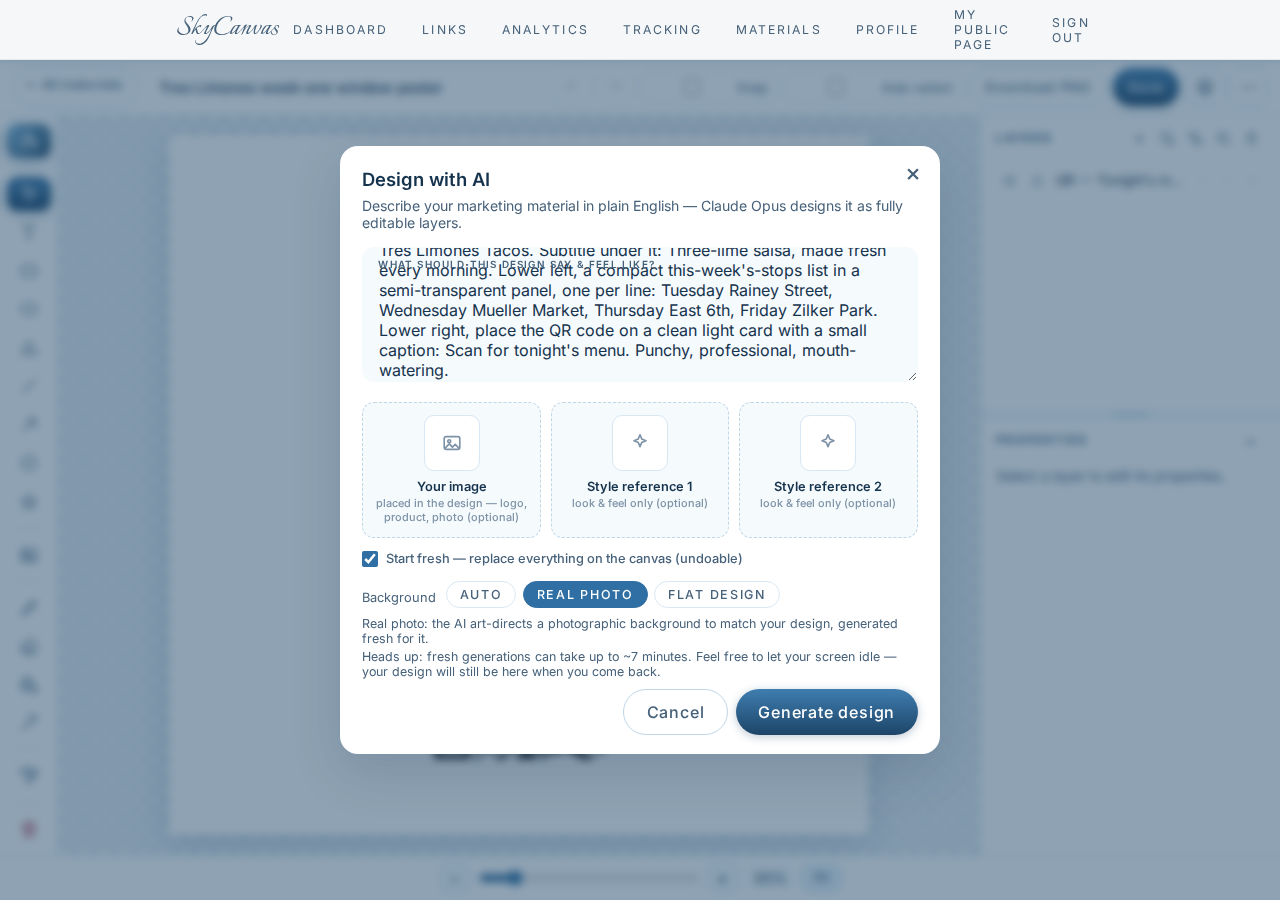
The brief was written the way Marisol would describe it to a designer friend: a close, appetizing shot of three fresh street tacos with lime wedges and cilantro, warm golden-hour light, slightly moody so text reads on top. Sunset orange and lime green for the type. Big headline “Tres Limones Tacos”, subtitle underneath. Lower left, a compact this-week’s-stops list in a semi-transparent panel (Tuesday Rainey Street, Wednesday Mueller Market, Thursday East 6th, Friday Zilker Park). Lower right, the QR on a clean light card with a small “Scan for tonight’s menu” caption.
Generate design. A note on the modal warns that a fresh photographic generation can take up to about seven minutes. Marisol went back to prepping salsa.
10. The finished poster, with the real scannable QR already in it
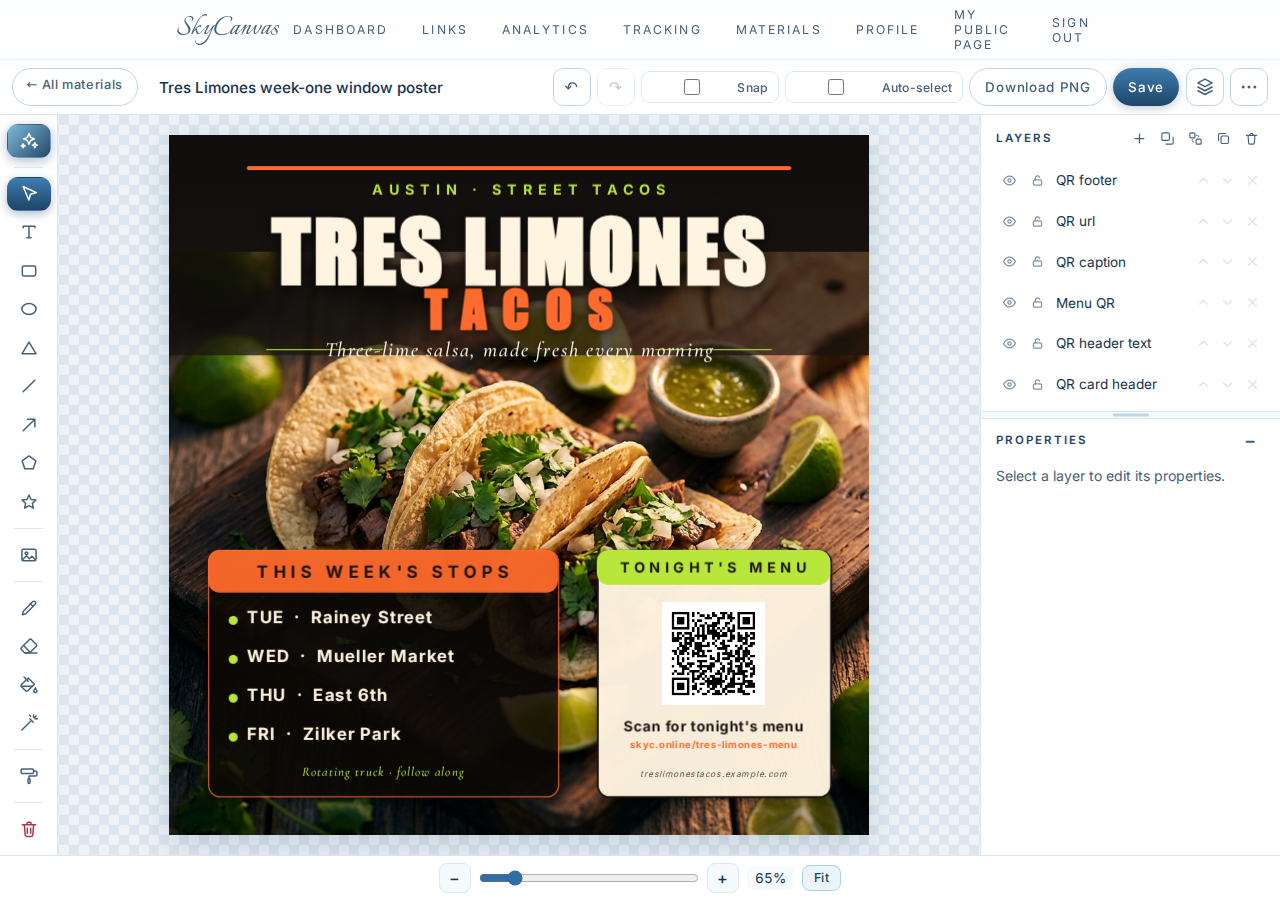
A few minutes later, the poster was sitting on the canvas as ordinary editable layers.

The AI followed the brief almost line for line. A warm shot of three cilantro-topped tacos and a small bowl of green salsa on wood, limes scattered around. The bold headline sits above, with the three-lime tagline underneath in a script that matches the mood. “This week’s stops” is in an orange pill on the lower left with the four nights listed in Tuesday-through-Friday order. On the lower right, the QR is on a soft cream card with the “Scan for tonight’s menu” caption and the skyc.online/tres-limones-menu short URL printed below it.
Every element is a real layer. Marisol changed “TUE” to “MON” for one week’s slot and moved the QR card a hair to the right. Total edit time, about two minutes. Download PNG, and it went straight to the truck’s window and to their Instagram grid.
What changed by the end of the week
By Friday night at Zilker Park, the truck had:
- One short URL,
skyc.online/tres-limones-menu, printed on the window and pinned on the truck’s Instagram bio. - A brand-colored QR that scans cleanly from six feet away.
- A photographic window poster that looks like it cost real money and did not.
- A dashboard tracking who actually scans, so next week they can decide whether Wednesday at Mueller Market is really pulling its weight.
None of that existed on Monday morning.
If you are running a small business that is one shareable link and one good-looking flier away from feeling real, you can put the same afternoon together for free at skycanvas.online/register.
Tres Limones Tacos is a fictional business we created to show a real SkyCanvas workflow. Every screenshot is real, captured live in a SkyCanvas account while writing this guide.