Blog · July 19, 2026
Author signing tomorrow, no poster: how an indie bookstore fixed it in an afternoon
The designer ghosted the day before a big author signing. In one afternoon, Willow & Ink Books built a scannable RSVP short link, a brand-colored QR, and a warm evening event poster with SkyCanvas.
It is Wednesday, a little after two. Marisol is standing behind the counter at Willow & Ink Books, a two-room shop on a quiet Asheville side street, holding her phone at arm’s length like it might bite her. The freelance designer she booked for tomorrow night’s author signing has just sent a very polite, very short message. Something came up. He cannot get the poster to her in time. He is sorry.
The signing is at seven the next evening. There are forty folding chairs in the back room. There is a novelist driving in from Knoxville. There is a stack of hardcovers by the register with a hand-lettered sign that just says tomorrow.
Marisol needs two things by tonight: a way for people to reserve a seat that she can actually track, and a poster she can print on the shop’s little laser and tape into the front window. She does not need a brand refresh, or a website audit, or a six-week campaign. She needs an afternoon.
1. Open the dashboard and take a breath
She opens SkyCanvas on the laptop next to the register. The dashboard is not fancy, which is exactly right when your hands are shaking a little.
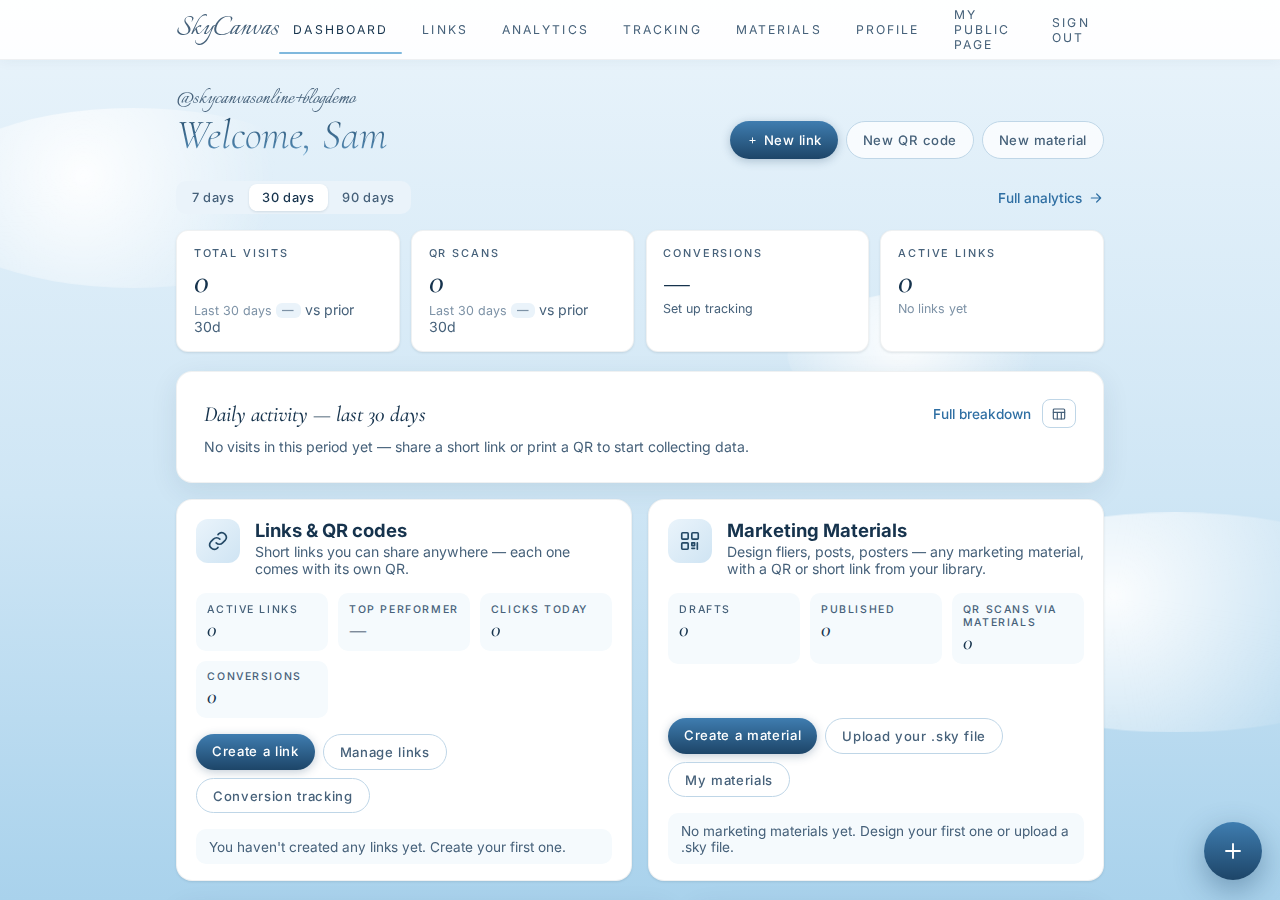
There are four KPI tiles at the top for clicks, QR scans, conversions, and links, and a daily activity chart underneath. Right now most of those numbers are zeros, and that is fine. They are the scoreboard for the next twenty-four hours.
2. Fill in the business profile so the AI knows the shop’s voice
Before she touches a design, she spends two minutes on her profile. This is the part people skip, and the part that quietly makes everything downstream better. The AI designer inside SkyCanvas reads this page whenever it makes something for her.
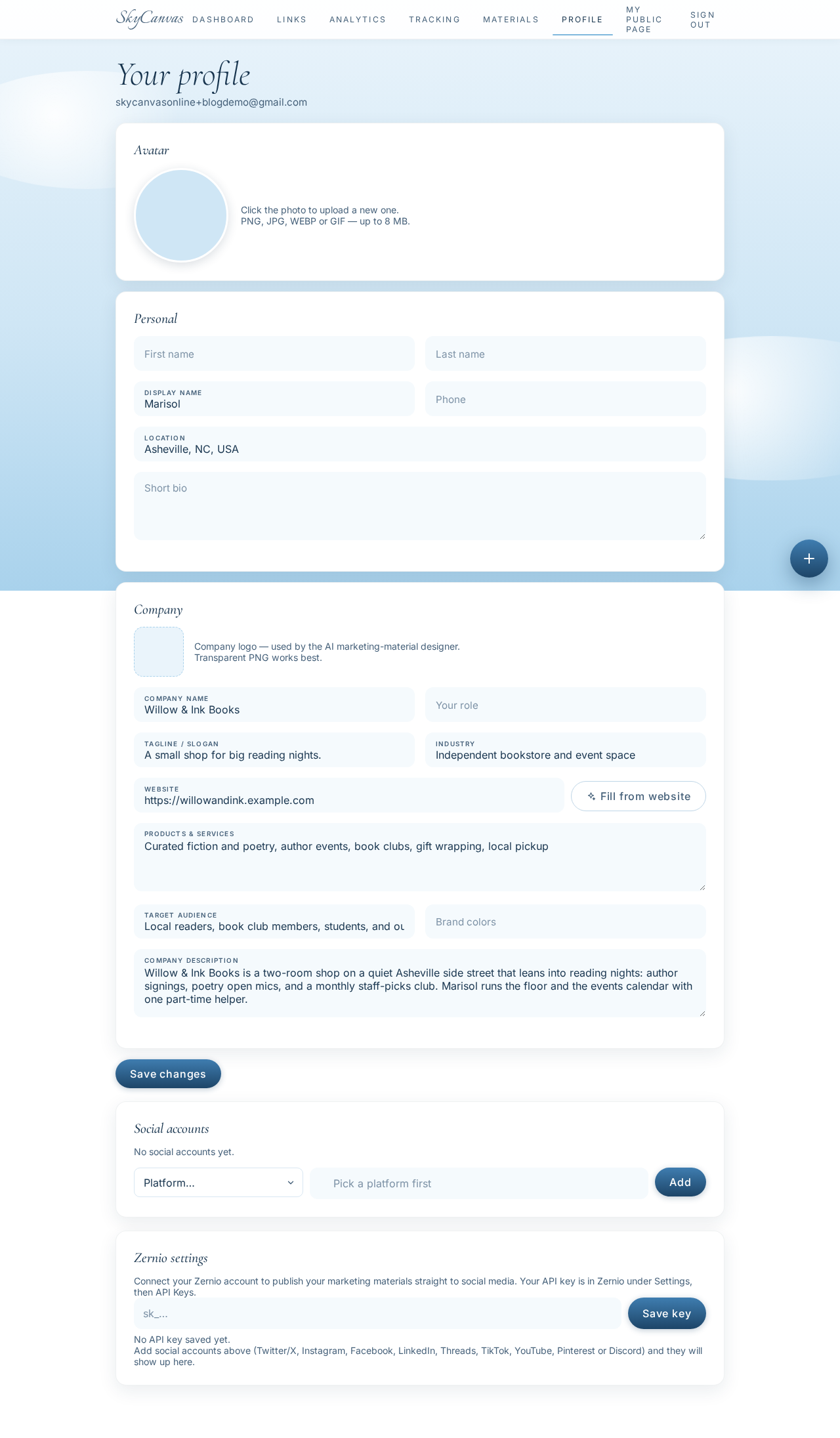
She fills in Willow & Ink Books, the tagline A small shop for big reading nights, the industry, the services, and a short line about who actually walks through the door: local readers, book club members, students, and out-of-town literary tourists. Now the AI will not try to sell her neon or emojis. It knows what kind of shop this is.
3. Create the short link for the RSVP page
Her Squarespace RSVP page has a URL that looks like a bad password. She needs something she can say out loud when a regular asks, and something short enough to sit next to a QR code on a poster.
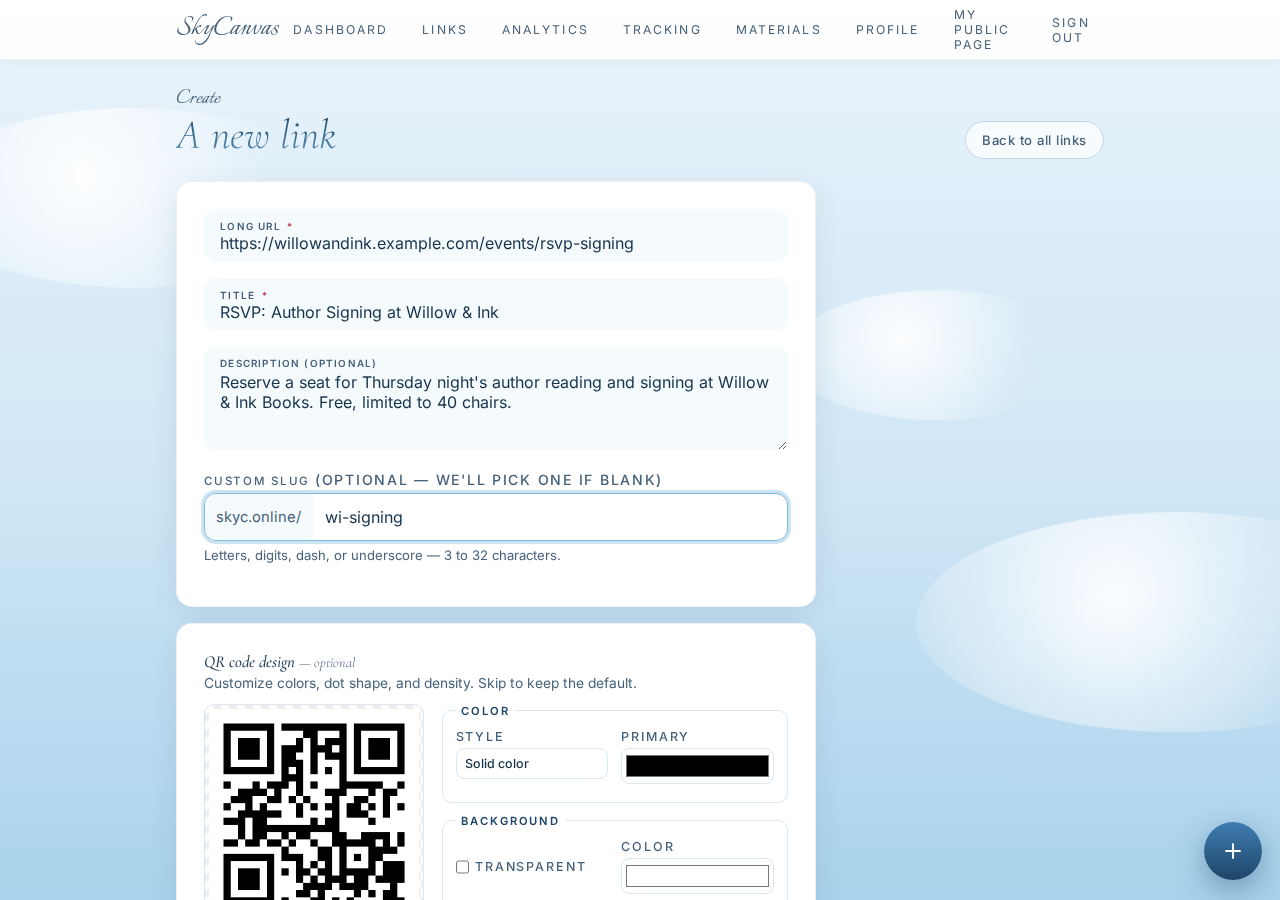
She pastes the long RSVP URL as the destination, names it RSVP: Author Signing at Willow & Ink, writes a one-sentence description, and picks a custom slug: wi-signing. On the right, a QR preview is already updating as she types. The short URL is going to be skyc.online/wi-signing, which she can read off her phone if someone calls to ask.
4. Grab the short link and QR from the detail page
Once she saves, the link detail page loads. This is the single screen she will be sending people to for the next twenty-four hours.
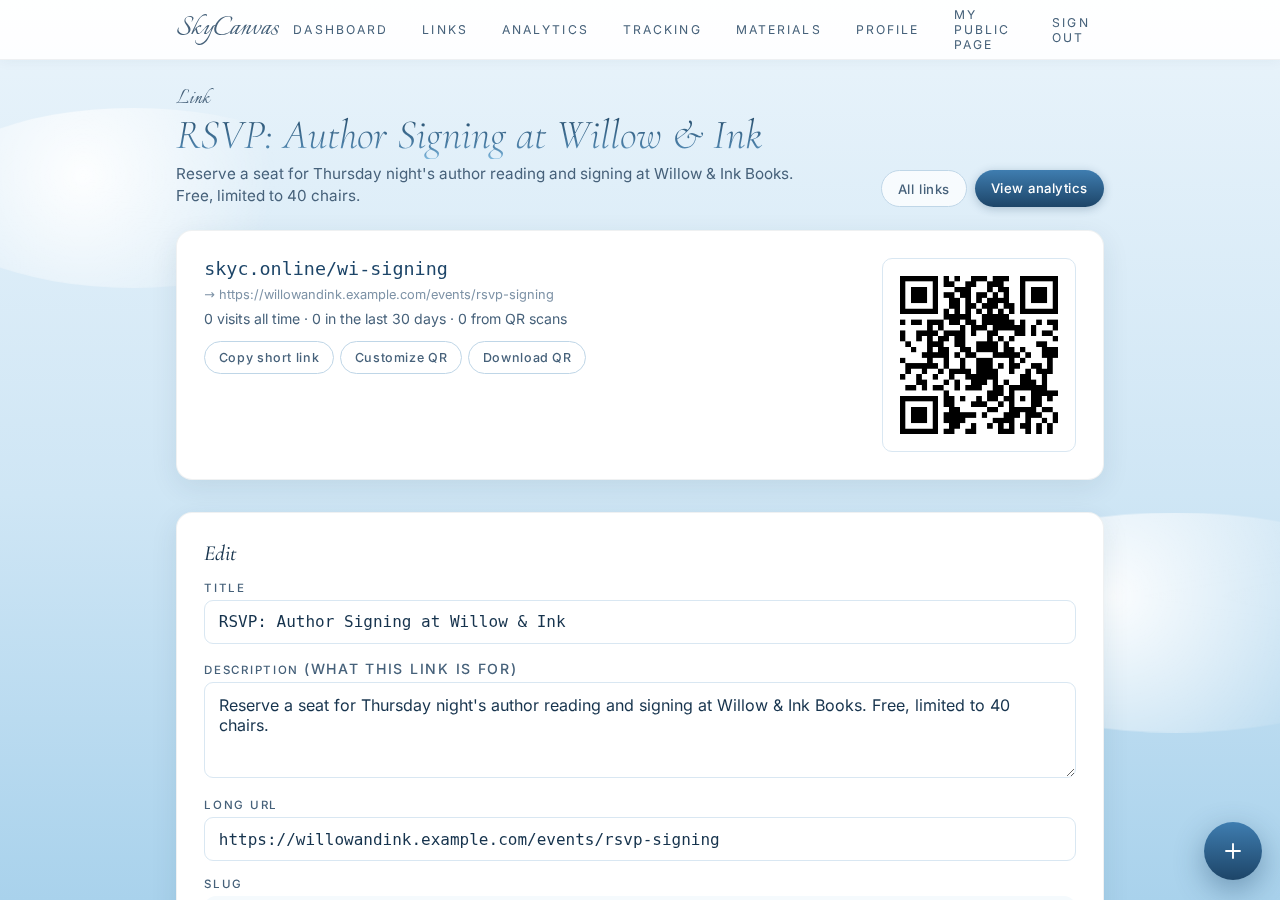
At the top: the short URL she chose. Underneath: the long destination it points to. On the right: the QR code, already generated and ready to download as PNG or SVG. She could stop here, tape a black-and-white QR to the door, and call it a night. But she does not want a plain black square in her window. Willow & Ink is warmer than that.
5. Restyle the QR in espresso and terracotta
She opens the QR customizer on the same link page and picks the two shop colors she uses for everything from receipts to gift tags: a deep espresso brown and a warm terracotta.
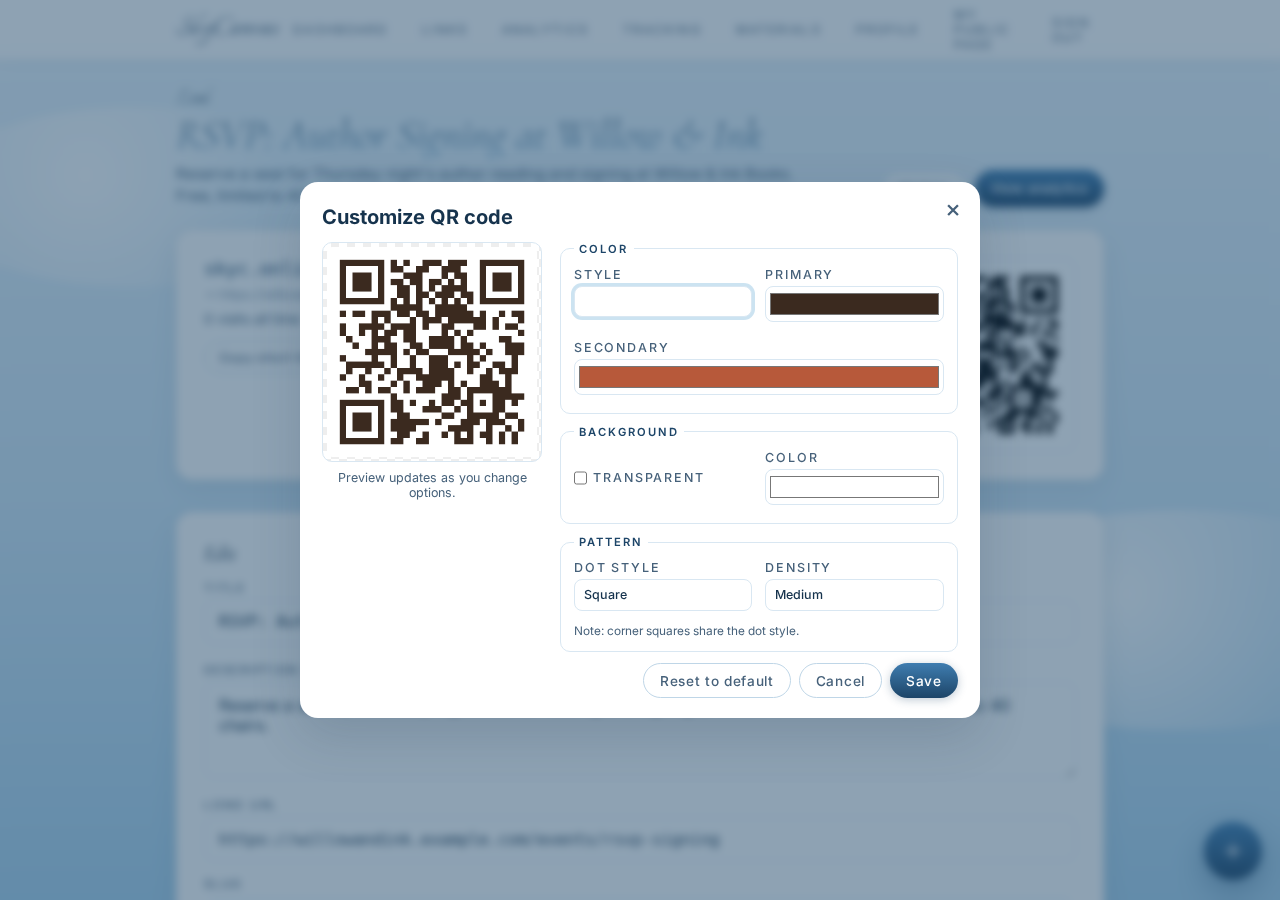
The preview updates live. The QR modules shift from flat black into that warm two-tone gradient on a clean white background. It still scans instantly, but now it looks like it belongs on a bookmark. That is the small, real difference between a link and a brand.
6. Start a new poster and pick portrait size
Now the poster. She opens My Designs and starts a new design.
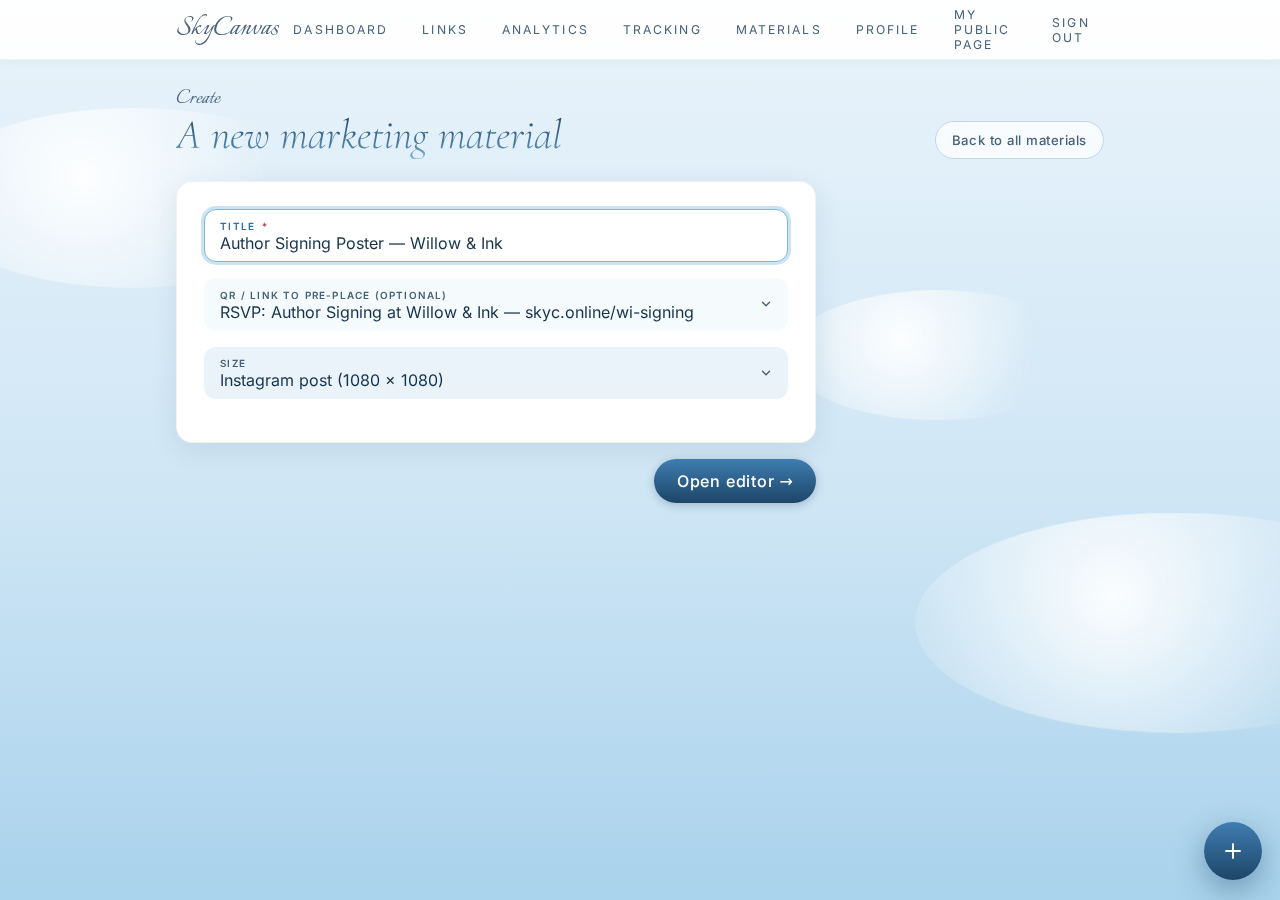
She names it Author Signing Poster, Willow & Ink, picks the portrait poster size for the front window, and, most importantly, picks the short link she just made from the dropdown. That step is what makes the finished poster arrive with a real, working QR baked into it instead of a placeholder.
7. Meet the editor
The editor opens with an empty canvas, drawing tools down the left, layers on the right, and a Design with AI button waiting in the toolbar.
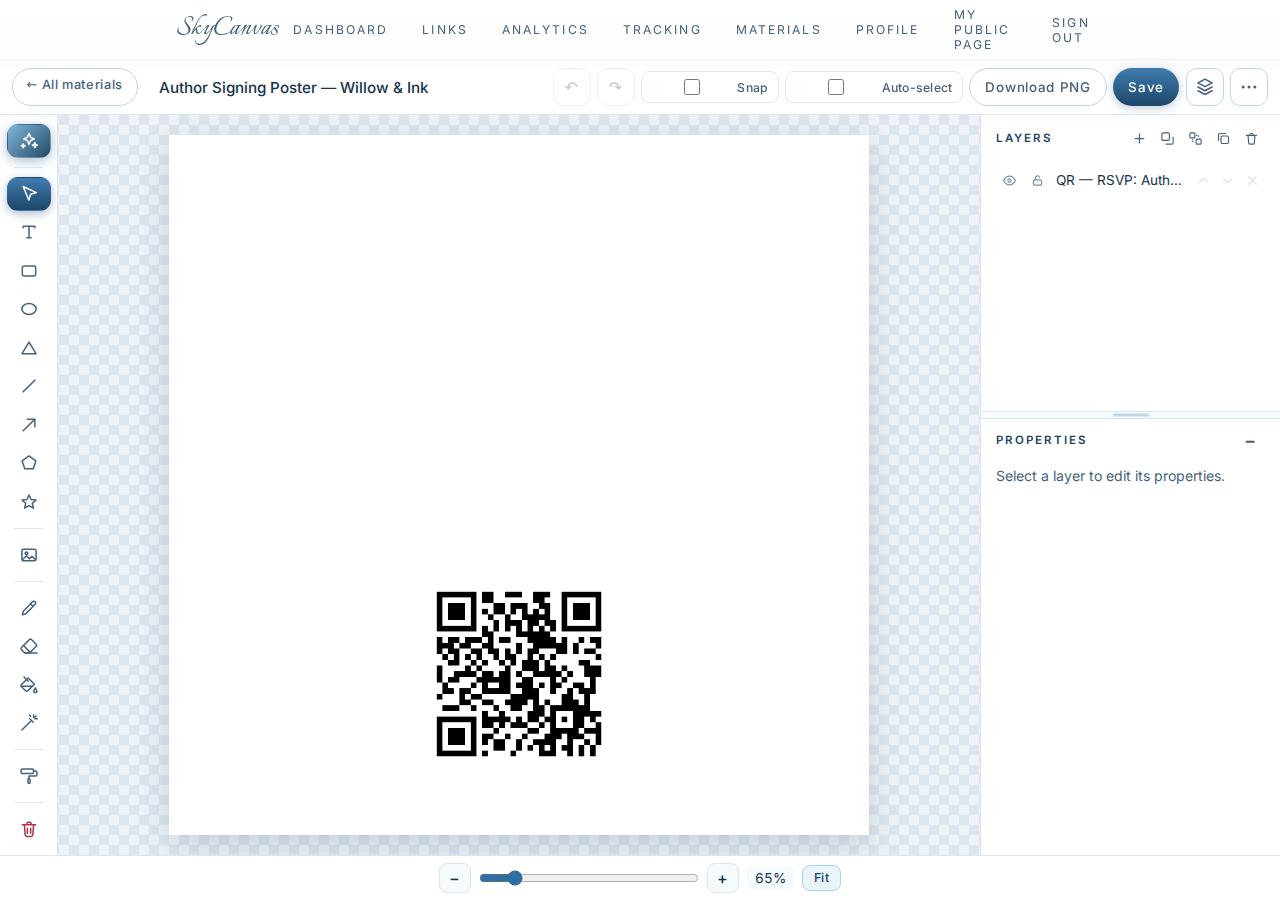
She could design this poster by hand. She has done it before. Tonight she has ninety minutes before her helper leaves, so she taps the AI button.
8. Write the brief in plain English
The Design with AI modal is a big text box. No dropdowns for fonts. No sliders for weights. Just a place to describe what she wants in the same voice she would use to text a friend.
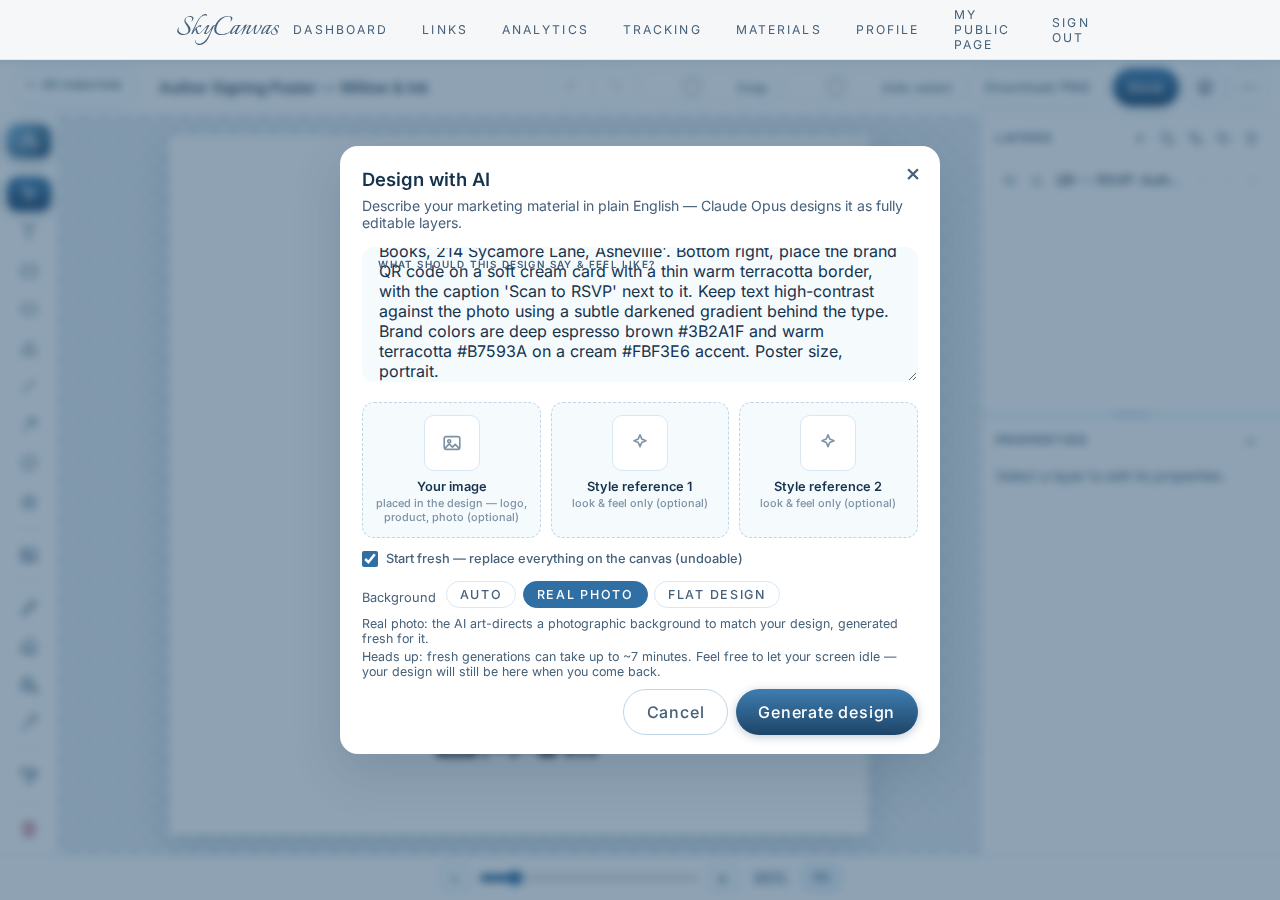
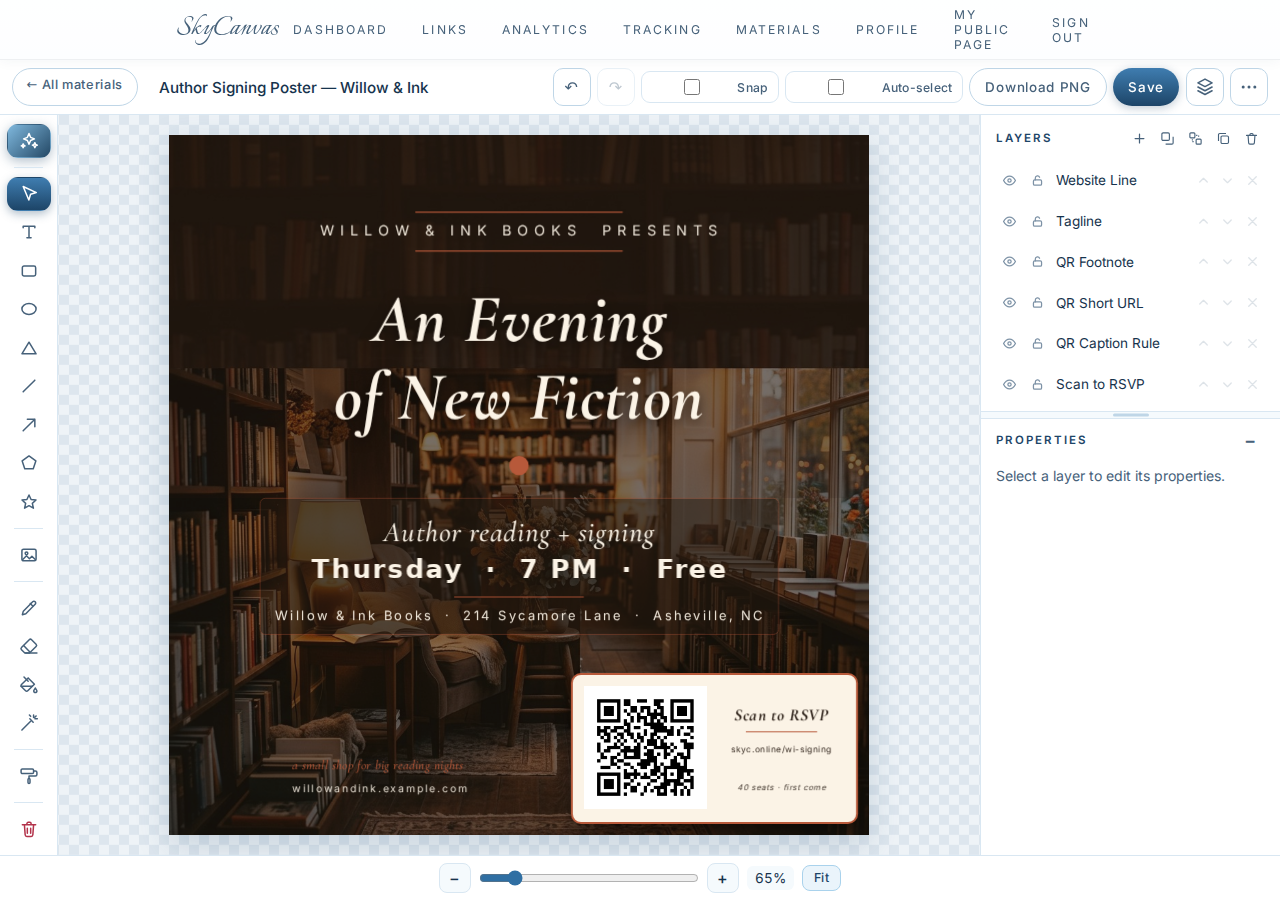
She writes it like she would describe the shop on a good evening: a softly lit indie bookshop interior at dusk, dark wooden shelves, an amber reading lamp, dried flowers on a stool, golden light through the front window. A big serif headline that says An Evening of New Fiction with Willow & Ink Books presents above it. Time, address, RSVP QR bottom right on a cream card with a thin terracotta border. Deep espresso brown and warm terracotta on cream. She flips the background mode to Real photo so the AI art-directs a photograph instead of an illustration, and hits generate.
9. The finished poster arrives on the canvas
A minute later, the poster loads onto the canvas as ordinary editable layers.

The dusk bookshop photo is there, with the amber lamp and the dried flowers exactly where she asked. Willow & Ink Books presents sits in a small line at the top, then An Evening of New Fiction in a confident serif underneath. The date, time, and address read cleanly against a subtle darkened gradient. The espresso-and-terracotta QR is tucked into the bottom right on a cream card with a thin warm border, with Scan to RSVP right next to it. Every piece is a normal layer she can nudge, resize, or retype. She fixes one line break, exports a PDF for the laser, and tapes the first copy inside the front window before she locks up.
10. Thursday morning: check analytics
The next morning, coffee in hand, she opens the analytics page before unlocking the front door.
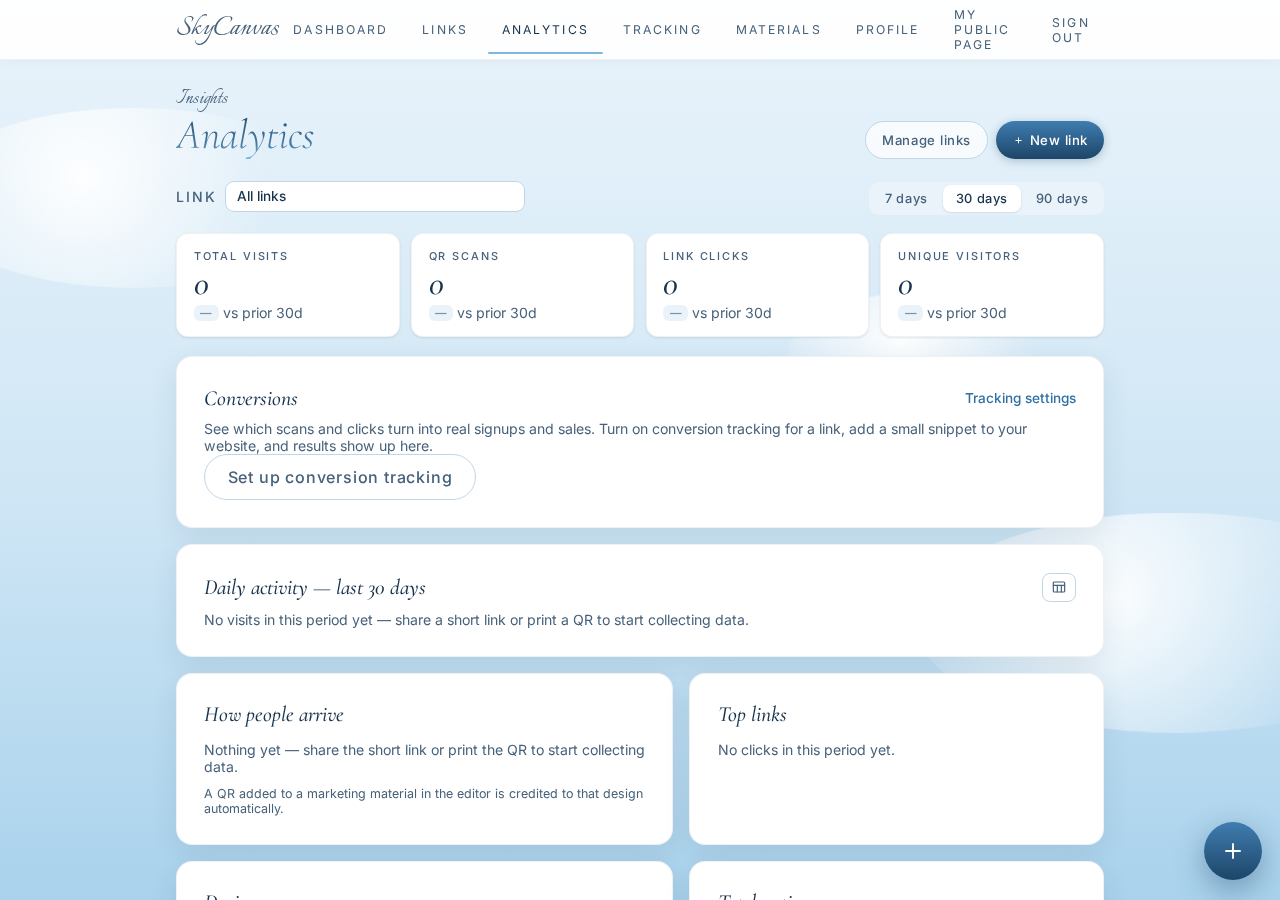
Clicks, QR scans, devices, and conversions are stacked over time. She can see the little bump last night when she posted the poster photo on Instagram, and a second bump this morning as commuters walked past the window. Mostly phones, a few desktops, and enough RSVPs that she quietly texts her helper to set out five more chairs.
What changed for Willow & Ink
By seven that evening, the back room is full. Every chair is claimed and there are people standing along the poetry shelf. The novelist signs books until nine thirty. Marisol did not hire a new designer, learn a design tool, or rebuild her website. She spent one afternoon making a scannable RSVP short link, a QR that matches her shop, and a poster that looks like a shop she is proud of.
If you have your own version of this Wednesday, you can start a free SkyCanvas account here and be printing by tonight. The short link for this story is skyc.online/wi-signing.
Willow & Ink Books is a fictional business we created to show a real SkyCanvas workflow. Every screenshot is real, captured live while writing this guide.