Blog · July 27, 2026
Beyond the click: How a boutique skincare brand tracked $4,200 in sales directly to their Instagram bio link
Stop guessing which social posts actually drive revenue. See how one local botanical skincare brand used SkyCanvas's conversion tracking snippet to connect Instagram link-in-bio clicks directly to checkout sales.
For boutique brands built on pure ingredients and natural beauty, Instagram is the ultimate visual storefront. Every day, makers of handcrafted lotions, wildcrafted serums, and botanical mists share close-up videos of their textures, behind-the-scenes glimpses of their studios, and glowing testimonials from loyal fans.
This was the exact world of Flora & Fern Botanicals, a small-batch organic skincare company operating out of a cozy kitchen studio in Portland, Oregon. Founded on the principles of transparency and clean living, they had spent months cultivating an active social media community. Their eco-conscious audience loved seeing how their local facial oils and herbal salves were made. Yet, behind the scenes, there was a persistent point of frustration: they had no clear way of knowing whether their social media posts actually translated into website sales.
Their Shopify store showed plenty of referral traffic, but the data was messy and vague. When they posted a new reel about their organic botanical mists and saw a bump in checkouts, they could only guess if those buyers clicked the link in their Instagram bio. Without solid proof, planning their marketing budgets felt like throwing wildflower seeds into the wind and hoping they grew. They needed a simple, direct way to trace customer purchases back to their primary social media link.
1. Registering for a SkyCanvas Account
To solve this tracking puzzle, they signed up for a SkyCanvas account. They needed a clean, reliable tool that would let them create custom short links for their social profiles while keeping a close eye on customer behaviors after the initial click.
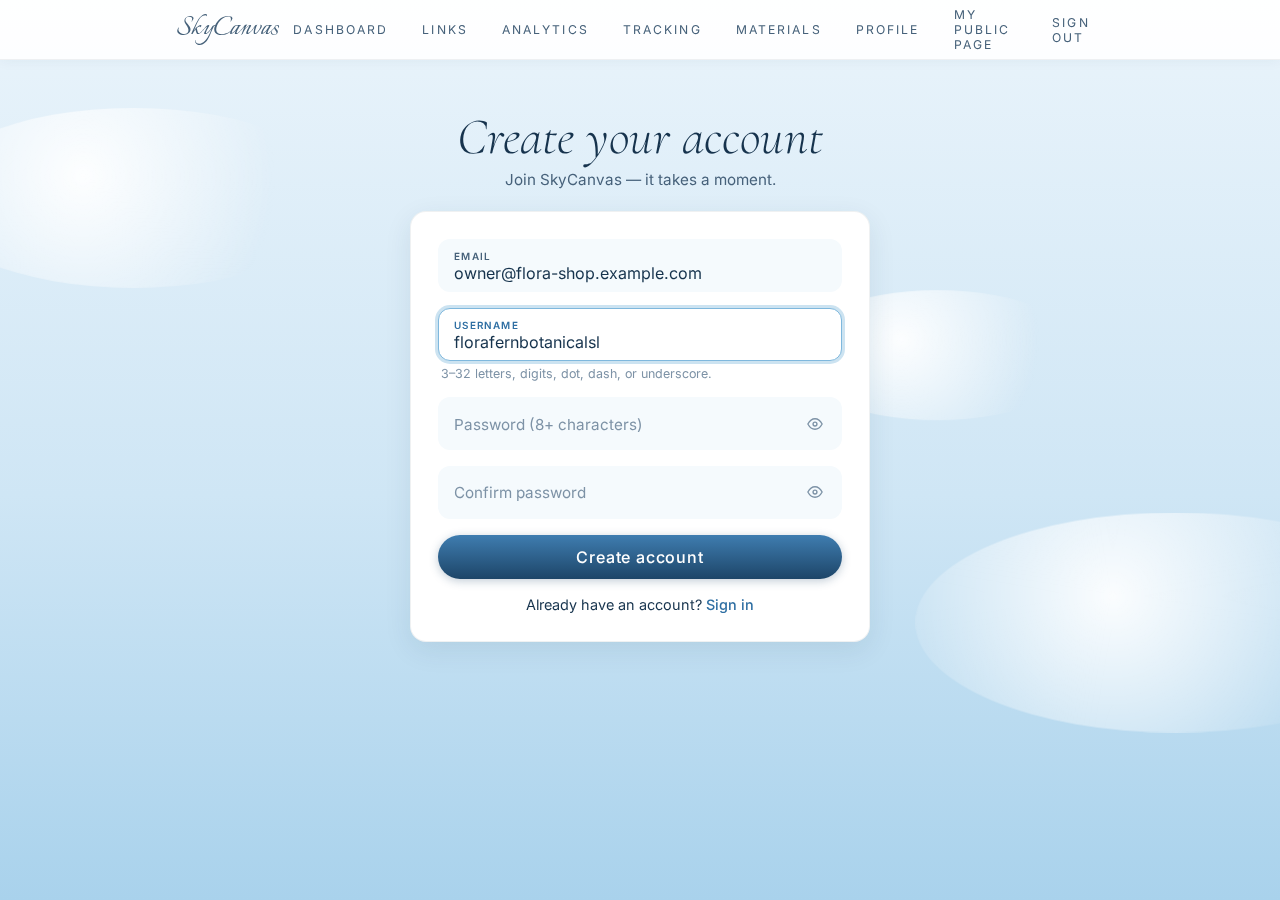
The signup process was quick and straightforward. They entered their primary contact email and chose a custom username that perfectly matched their brand identity, creating a secure foundation for managing their digital links.
2. Creating the Short Link for the Bio
Once inside their new dashboard, the next step was to build a clean, branded link to place directly in their Instagram bio. Instead of sending users to a generic homepage, they chose to route visitors straight to their best-selling collections page, where eager shoppers could browse their full line of botanical products immediately.
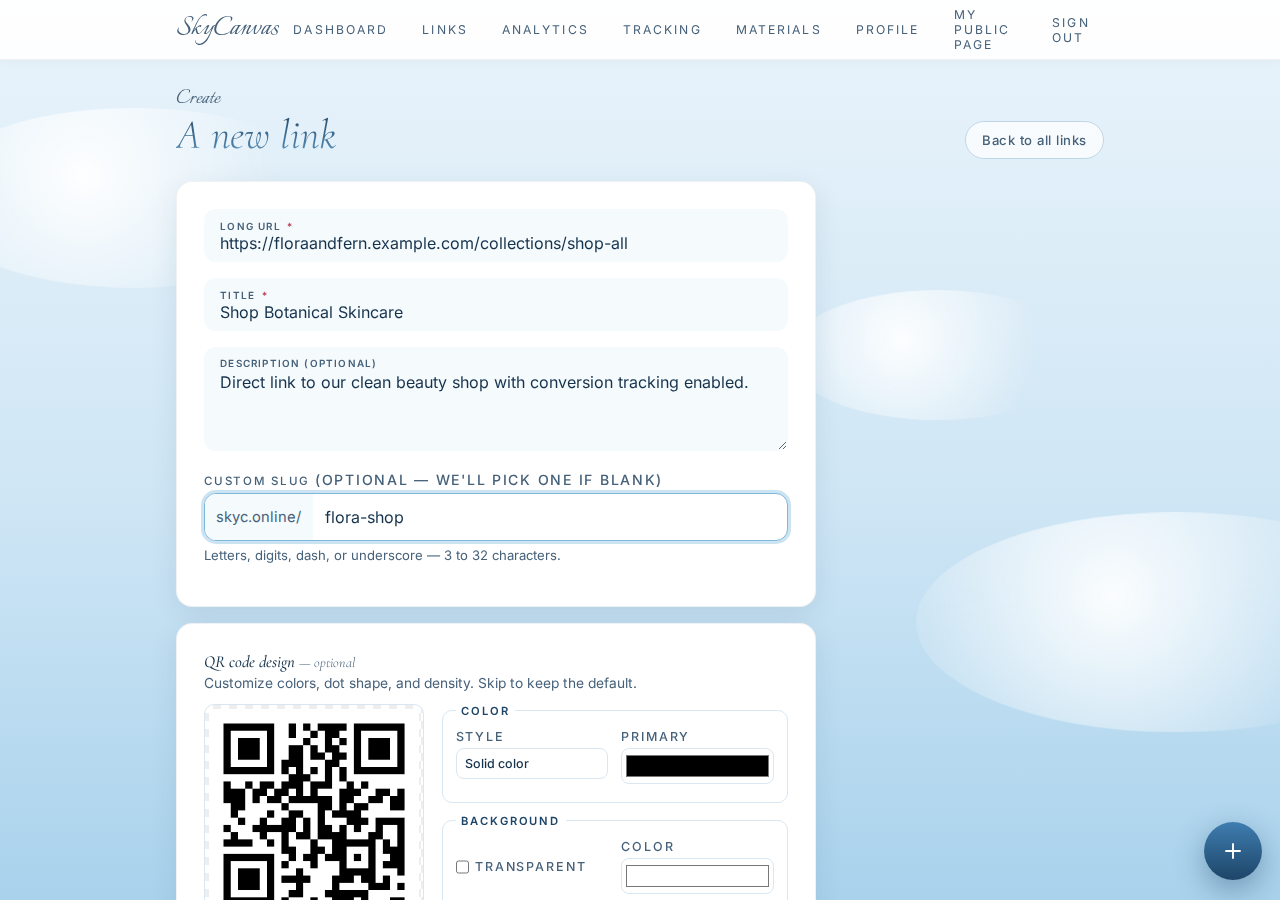
They filled out the link creation form with care. They inserted the direct destination URL, crafted a clear title, and added a short description for internal organization. To keep their branding consistent, they claimed the short slug flora-shop. On the right, the platform generated a live preview of a custom green QR code, which they could save for future packaging labels or event flyers.
3. Getting the Link and QR Code Ready
With the form submitted, the short link was instantly active and ready for the world. They were presented with their clean, shortened URL: skyc.online/flora-shop.
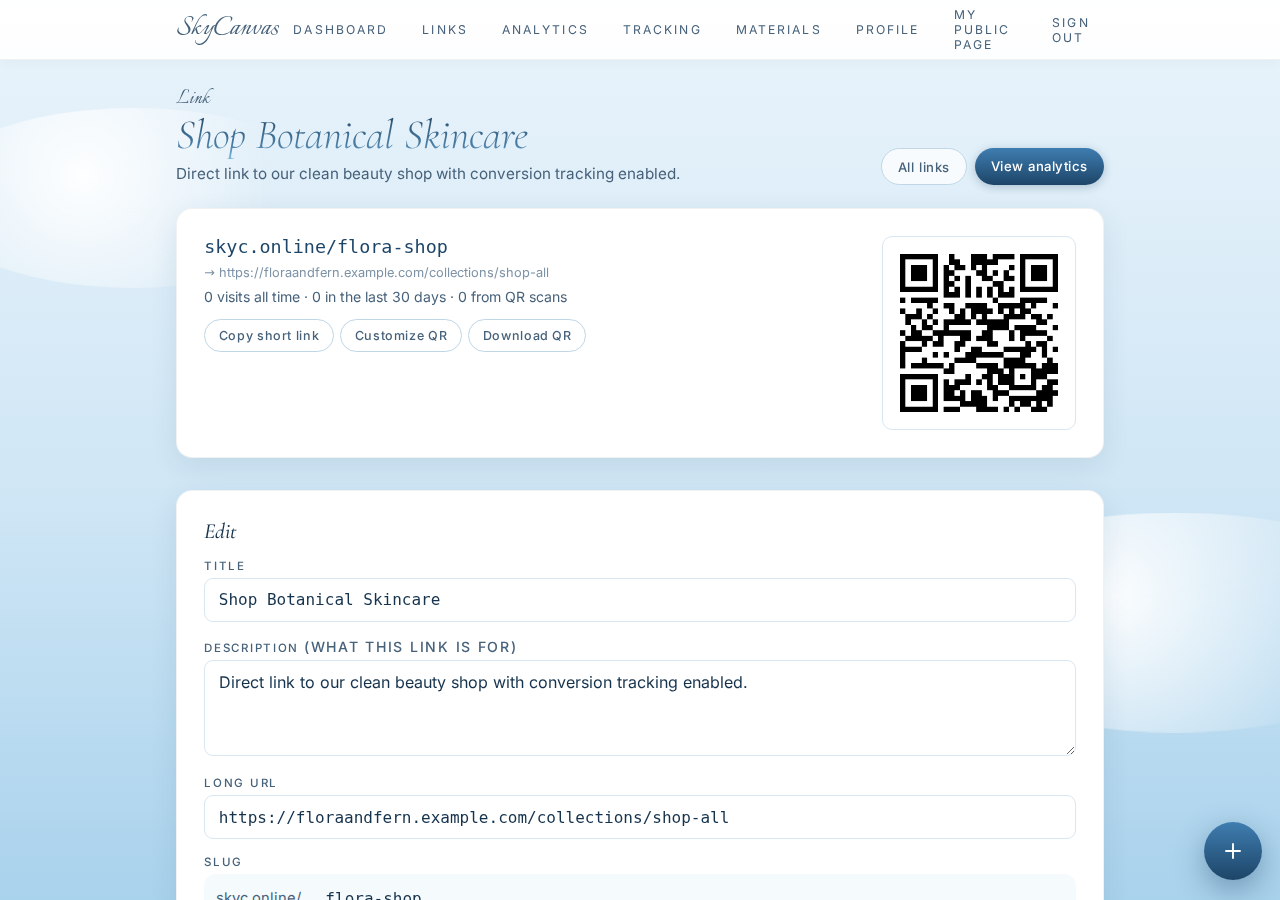
From this screen, they copied the link directly to their clipboard and pasted it into their Instagram profile bio. Now, anyone browsing their profile could easily tap the clean, branded link to view their organic skincare collections. The page also provided a high-quality download of their custom green QR code, which they planned to print on thank-you cards tucked inside every shipping box.
4. Setting up the Conversion Tracking Snippet
To move beyond basic click-counting and start tracking actual sales, they needed to connect their online checkout with their newly created link. SkyCanvas makes this possible through a simple conversion tracking snippet.
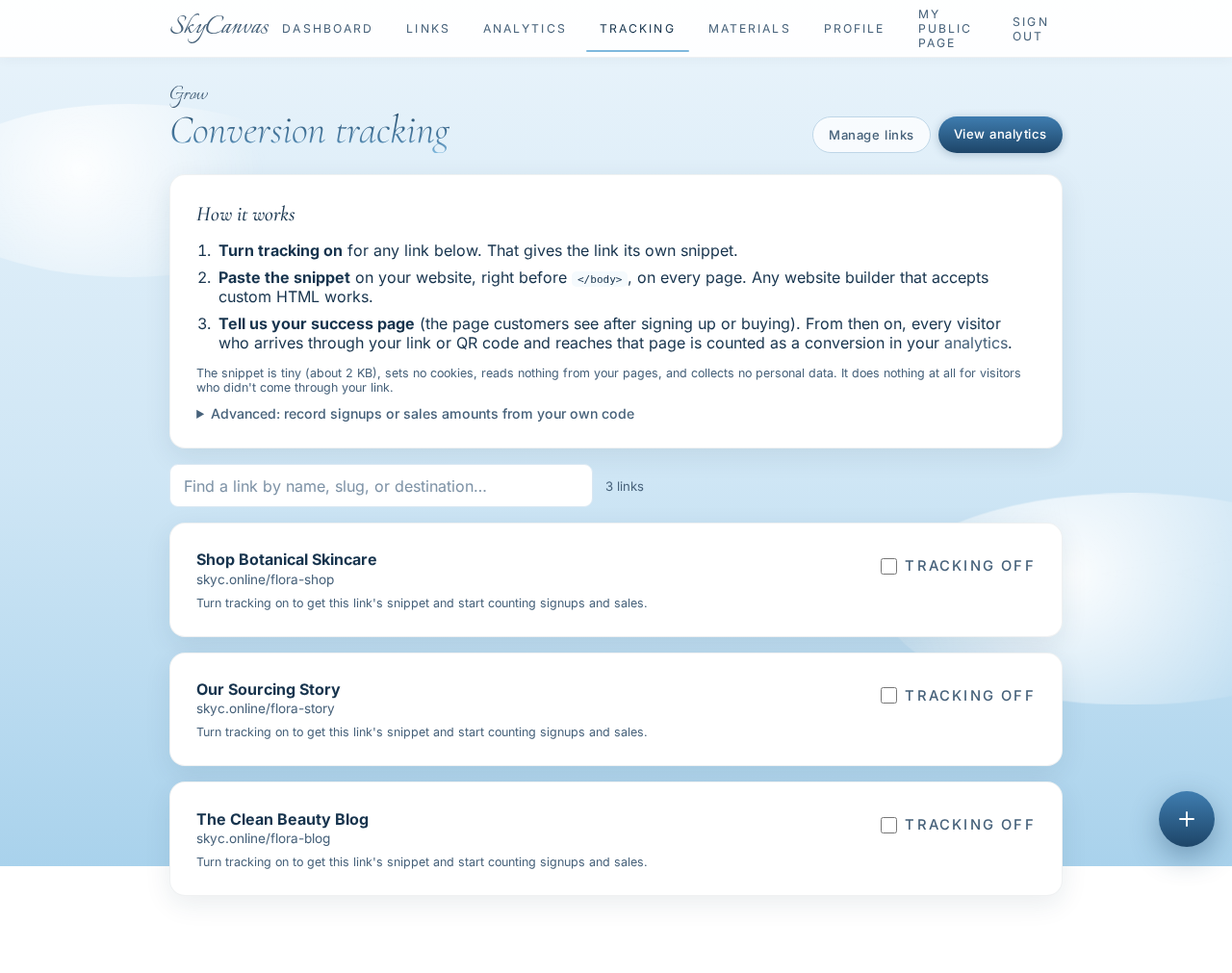
They navigated to the tracking tab, where they found a single line of lightweight code. They copied this script and pasted it into their Shopify store’s order confirmation page settings. This script does not slow down the website; it simply runs in the background when a customer completes a purchase, checking if that buyer originally clicked on the skyc.online/flora-shop link.
5. Monitoring the Dashboard for Real-Time Activity
With the link live in their bio and the tracking script in place, the data began flowing in almost immediately. Rather than waiting days for reports to compile, the team could watch their metrics grow in real time.
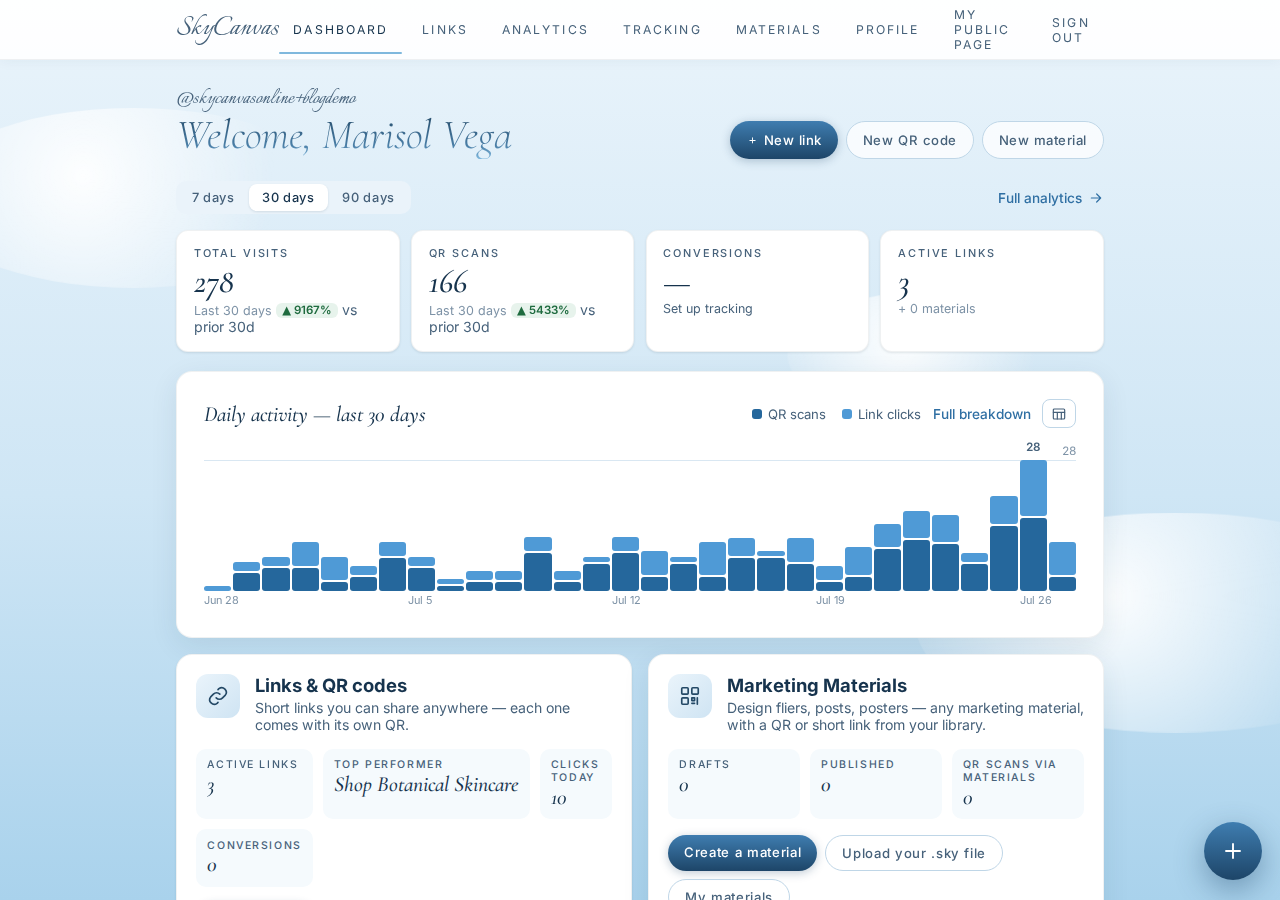
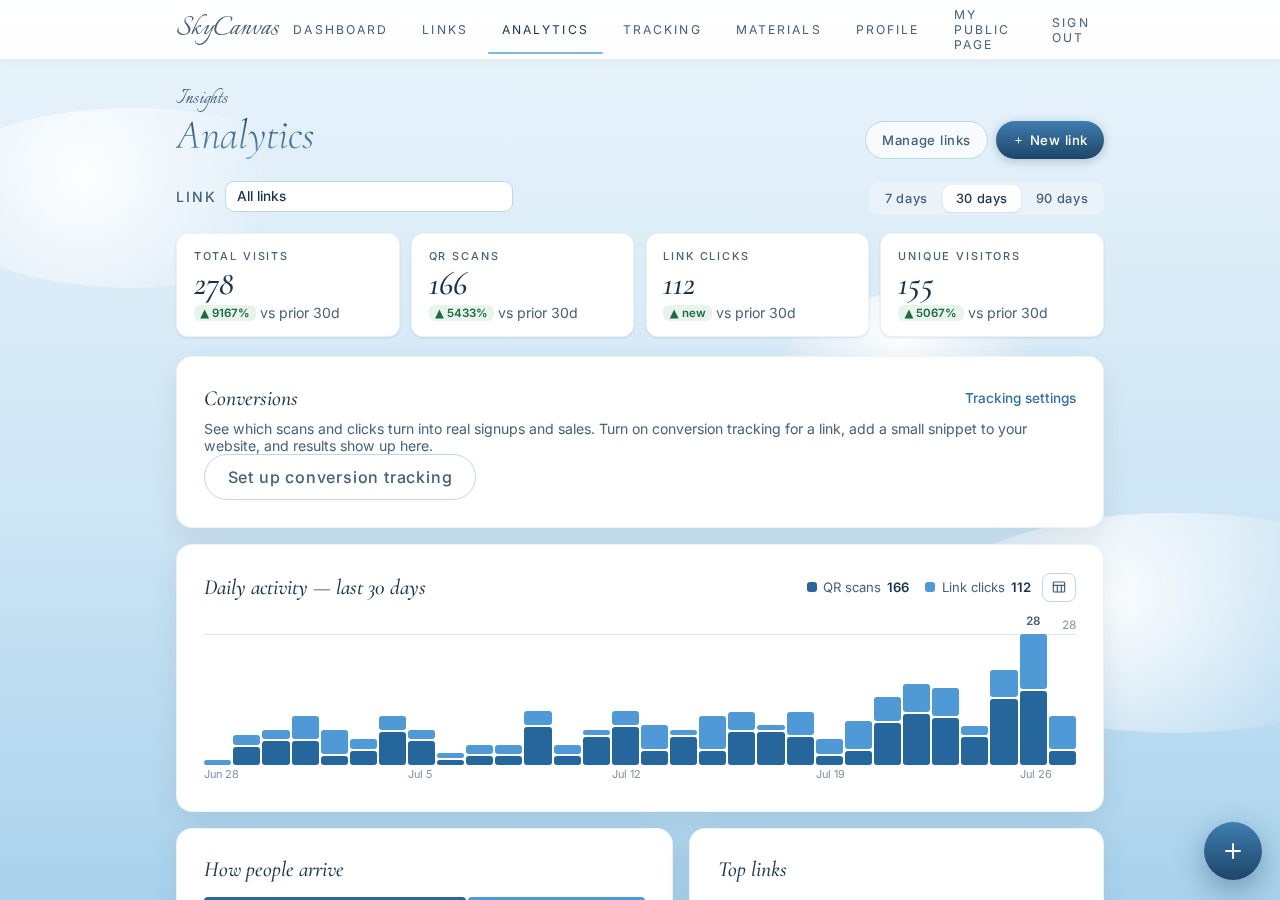
Their main dashboard quickly turned into a command center. They could see a clear overview of total link clicks, QR scans from their packaging inserts, and completed checkout conversions. The visual daily activity chart let them see exact traffic spikes, which they easily matched up with the times they posted new reels or stories.
6. Reviewing Analytics and Attributing Sales
Over the course of a few weeks, the team gathered detailed insights that completely changed how they viewed their marketing campaigns. By opening their analytics tab, they got a deep, granular look at customer behavior.

This page allowed them to analyze traffic patterns by device types, checkouts, and total engagement over time. By seeing the direct relationship between their social media links and actual purchases, they finally had the proof they needed. They were able to attribute exactly $4,200 in clean beauty sales directly to the link sitting in their Instagram bio.
Growing with Confidence
Having access to this clear data changed everything for the team. They no longer had to guess which social media posts were driving revenue or worry if their online efforts were paying off. They could see exactly how many checkouts resulted from their bio link, helping them identify which product showcases resonated most with their audience.
With this newfound visibility, they confidently refocused their creative energy on the types of content that actually grew their business. By putting clear numbers behind their natural brand, they built a more sustainable, data-backed path forward.
If you are ready to take the guesswork out of your social media marketing and start tracking your actual sales conversions, you can set up your own account today at https://skycanvas.online/register.
Flora & Fern Botanicals is a fictional business we created to show a real SkyCanvas workflow. Every screenshot is real, captured live while writing this guide.