Blog · July 19, 2026
One QR on every table: how a taproom keeps its beer list current without reprinting menus
Ironwood Taproom rotates 18 taps a week. A single branded QR on every table now points to the live list, and the scans tell them which beers to pour next.
Marisol Chen runs Ironwood Taproom out of a converted print shop in Asheville, twenty-four seats and eighteen taps that rotate faster than the chalkboard can keep up. On a good week, four kegs blow before Friday. On a great week, six. Every rotation used to mean somebody erasing a line, squinting at the ABV, and rewriting it in a slightly different hand.
The paper menus were worse. Print a hundred, watch a saison kick on Tuesday, cross it out with a Sharpie for the rest of the week. Regulars stopped trusting them. Travelers would ask about a beer that had been gone since Sunday.
Marisol wanted one thing: a single QR code on every table that always pointed to the current list, so the only thing anyone had to update was the website. No app, no reprints, no chalkboard duel. Here is how she set it up in an evening.
1. Start at SkyCanvas
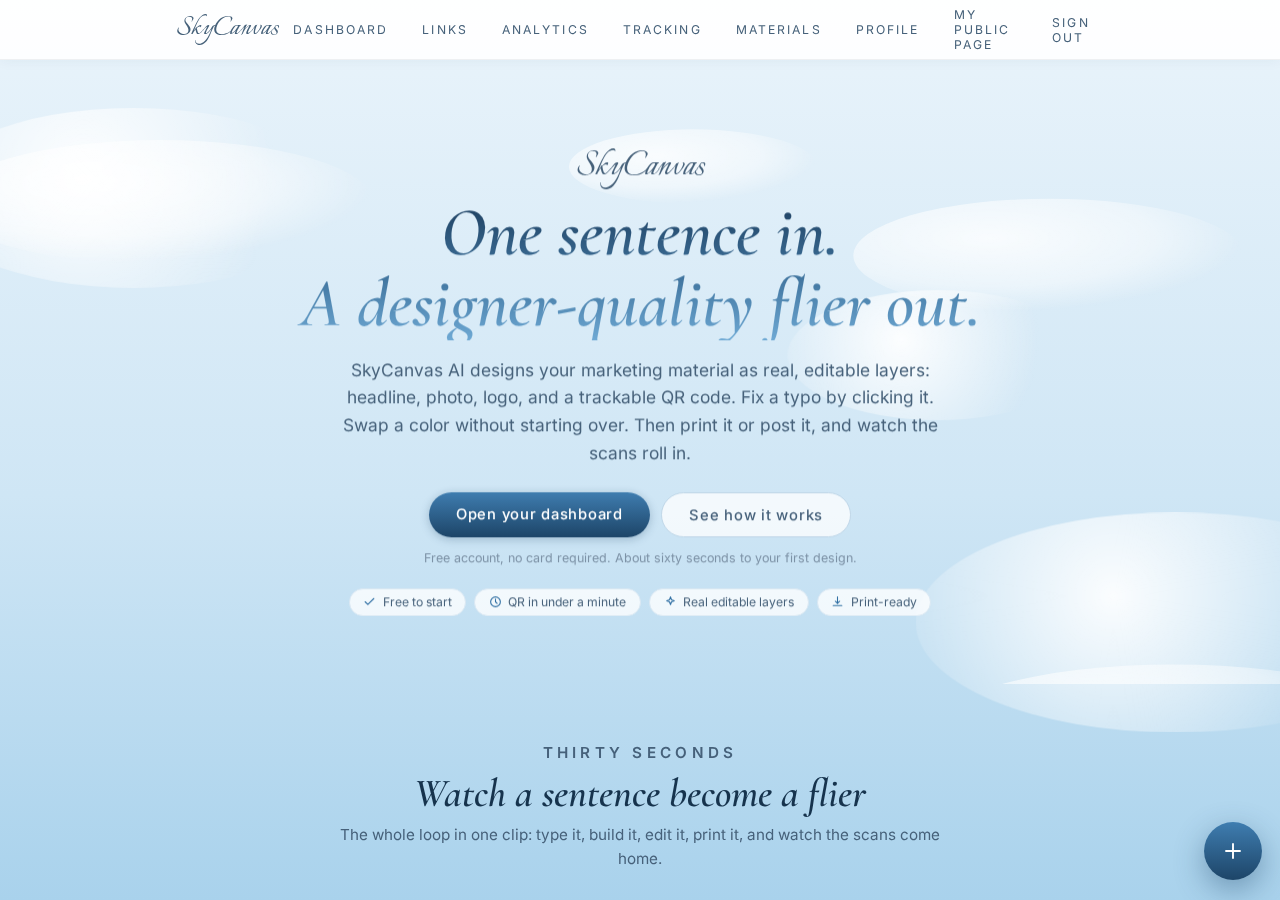
Marisol landed on skycanvas.online after a friend who runs a coffee bar mentioned it. The pitch was simple enough: short links, branded QR codes, and analytics that tell you whether the QR on the table is actually getting scanned. That last part was what sold her, because if the QR was a flop she wanted to know before printing table tents.
She made an account and moved on to the part every small business owner secretly dreads: filling in the profile.
2. Tell SkyCanvas who Ironwood is
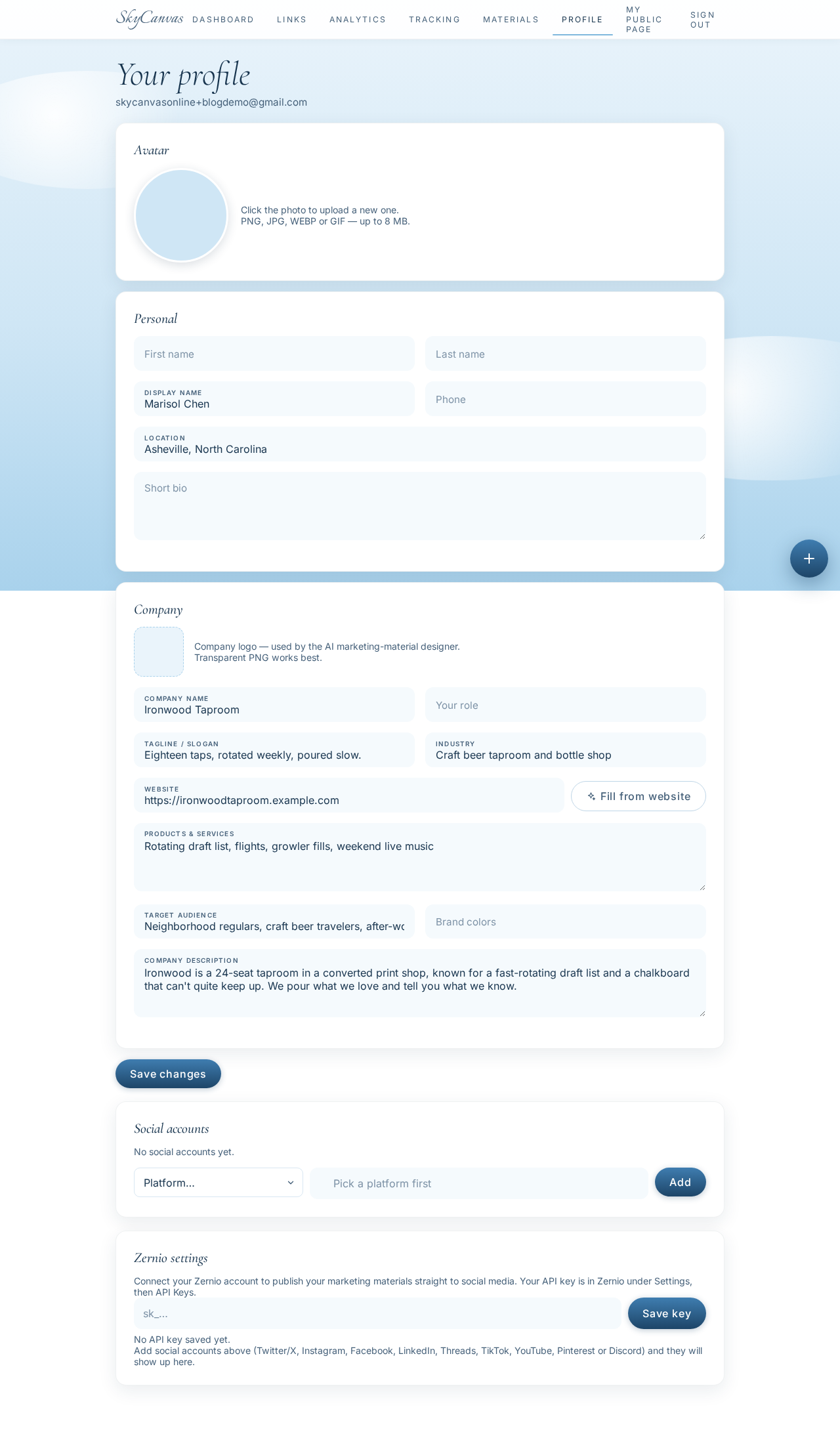
The profile page is short, which Marisol appreciated. Business name, tagline, industry, services, audience. She wrote it the way she talks to a regular who just walked in.
Company name: Ironwood Taproom. Tagline: eighteen taps, rotated weekly, poured slow. Industry: craft beer taproom and bottle shop. Services: rotating draft list, flights, growler fills, weekend live music. Audience: neighborhood regulars, craft beer travelers, after-work groups.
The profile is not decoration. When you build a link or a QR later, SkyCanvas remembers the vibe you set here and it shows up in the small choices, like which colors it suggests and how it frames your page to a first-time scanner.
3. Point one short link at the live tap list
Ironwood already has a page on the website that lists what is currently pouring. Marisol updates it whenever a keg blows, which she was going to do anyway. That page became the destination.
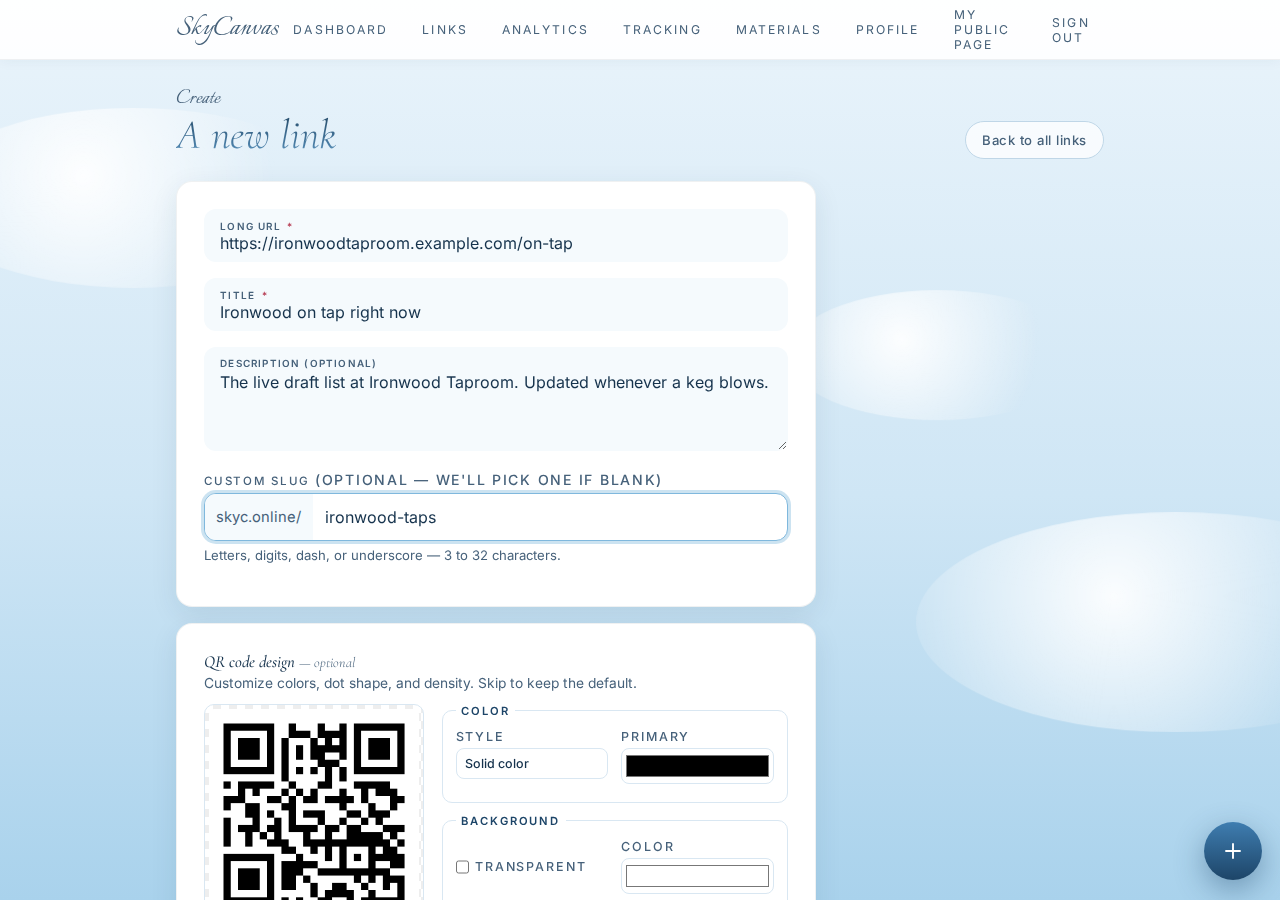
In SkyCanvas she opened the new link form and filled it in:
- Destination URL: the on-tap page on the taproom website
- Title: Ironwood on tap right now
- Description: the live draft list at Ironwood Taproom, updated whenever a keg blows
- Custom slug: ironwood-taps
The short URL comes out as skyc.online/ironwood-taps, which is short enough to say out loud when a regular asks how to check the list from home. On the right side of the form a QR preview updates as you type, so you can already see roughly what the printed version will look like.

4. The link is live
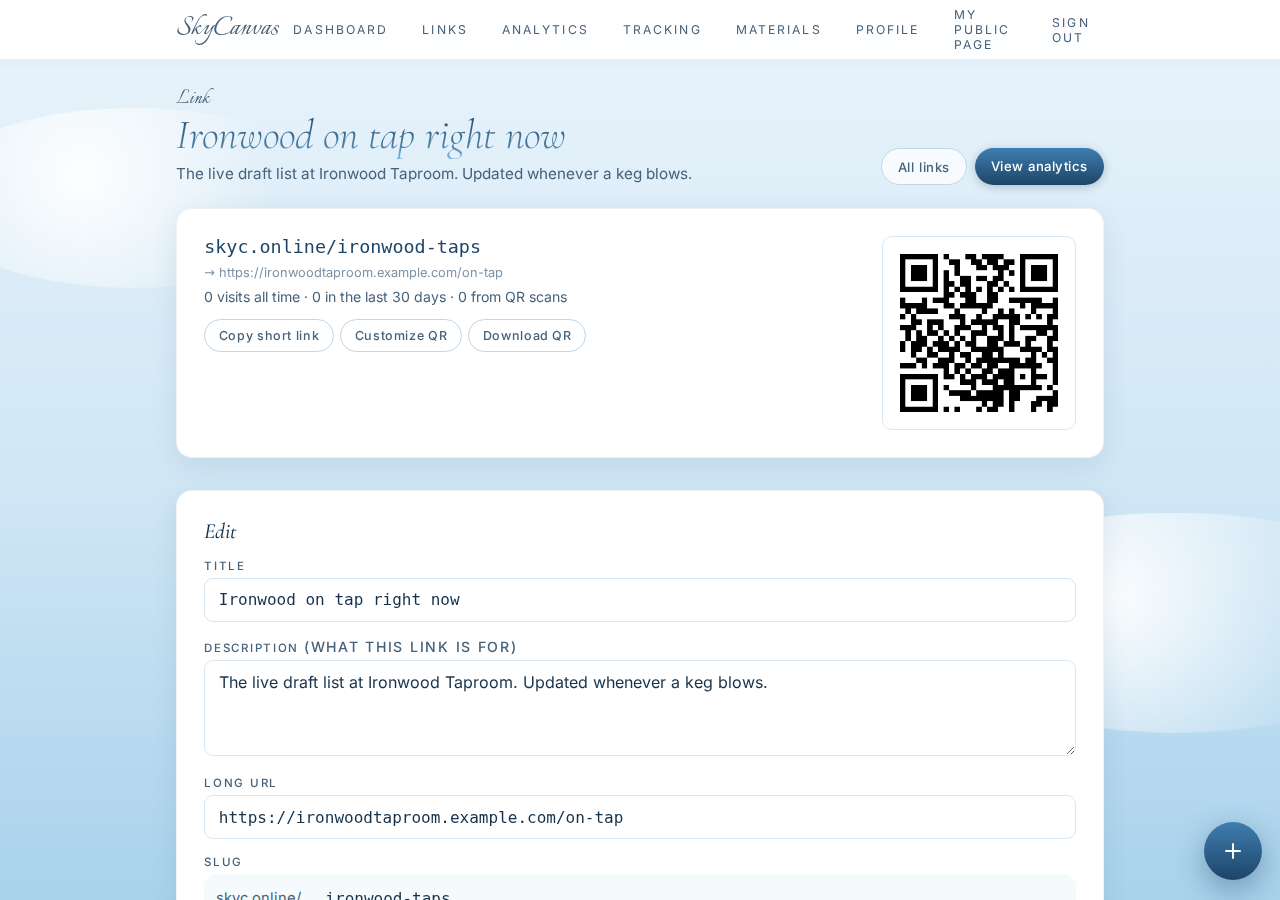
After saving, the link detail page shows the short URL, the destination it forwards to, and a full-size QR code ready to download. Marisol tested it on her phone. It opened the tap list in about a second.
This is the moment where the whole plan clicks. From here on, updating the menu means updating the on-tap page on the website. The QR never changes. The table tents never change. The short URL never changes. When a keg blows at 8:47 on a Thursday, the next person who scans at 8:48 sees the new list.
5. Make the QR look like Ironwood
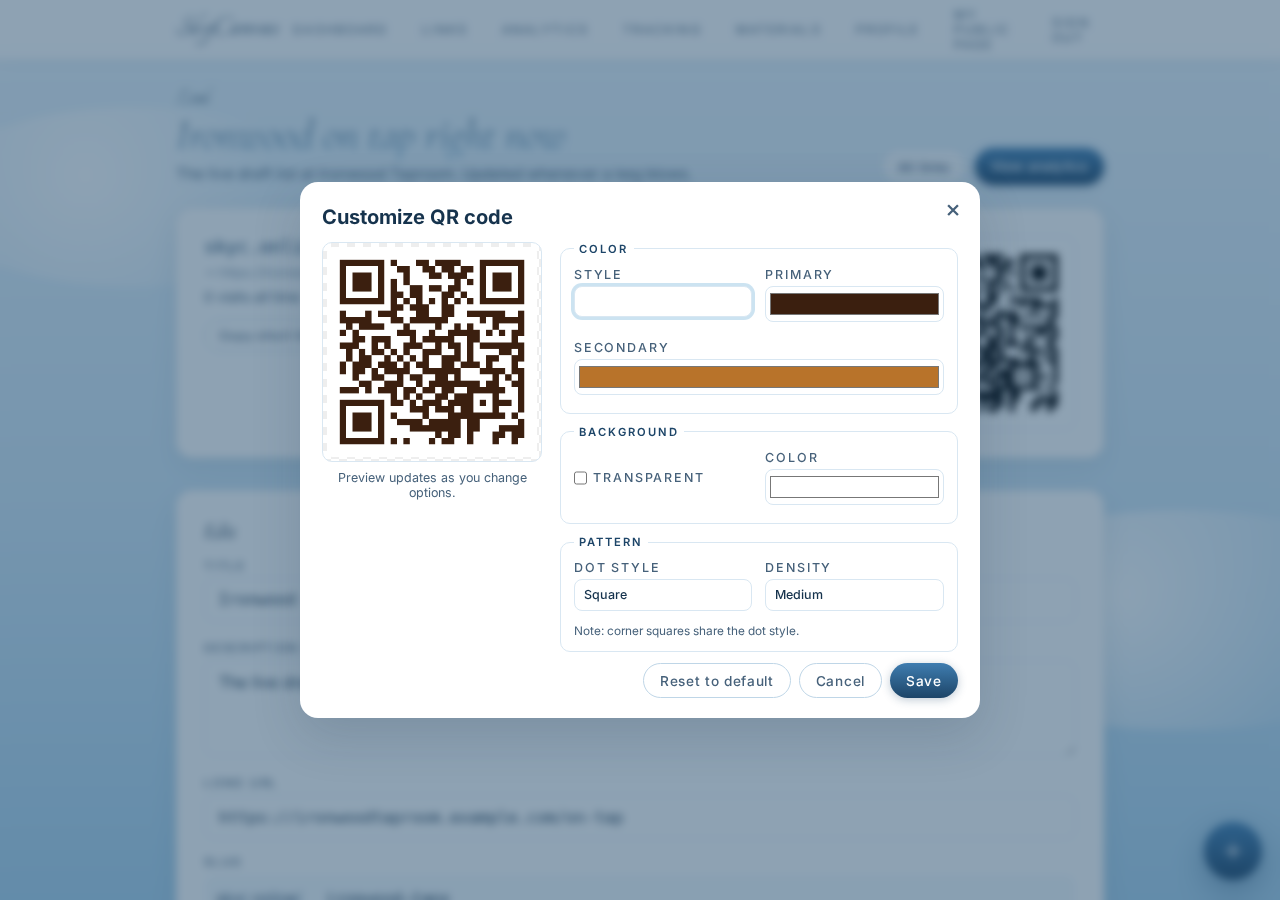
The default black-and-white QR would have worked fine, but Ironwood has a look. Deep roasted brown, warm amber, cream. Marisol opened the QR customizer on the link page and pushed the modules toward the Ironwood palette: a dark brown for the primary color, an amber accent for the gradient, white background so it prints clean on kraft-colored table tents.
The live preview updates every time you nudge a color, and SkyCanvas keeps the contrast high enough that the code still scans. She downloaded a high-resolution PNG and sent it to the print shop next door, the same one whose old space Ironwood took over.
By Friday, every table had a small wooden block with the QR laser-etched into the top and the short URL printed underneath. The URL matters. Some people scan, some people type. Either way lands them on the same live page.
6. Watch the scans roll in
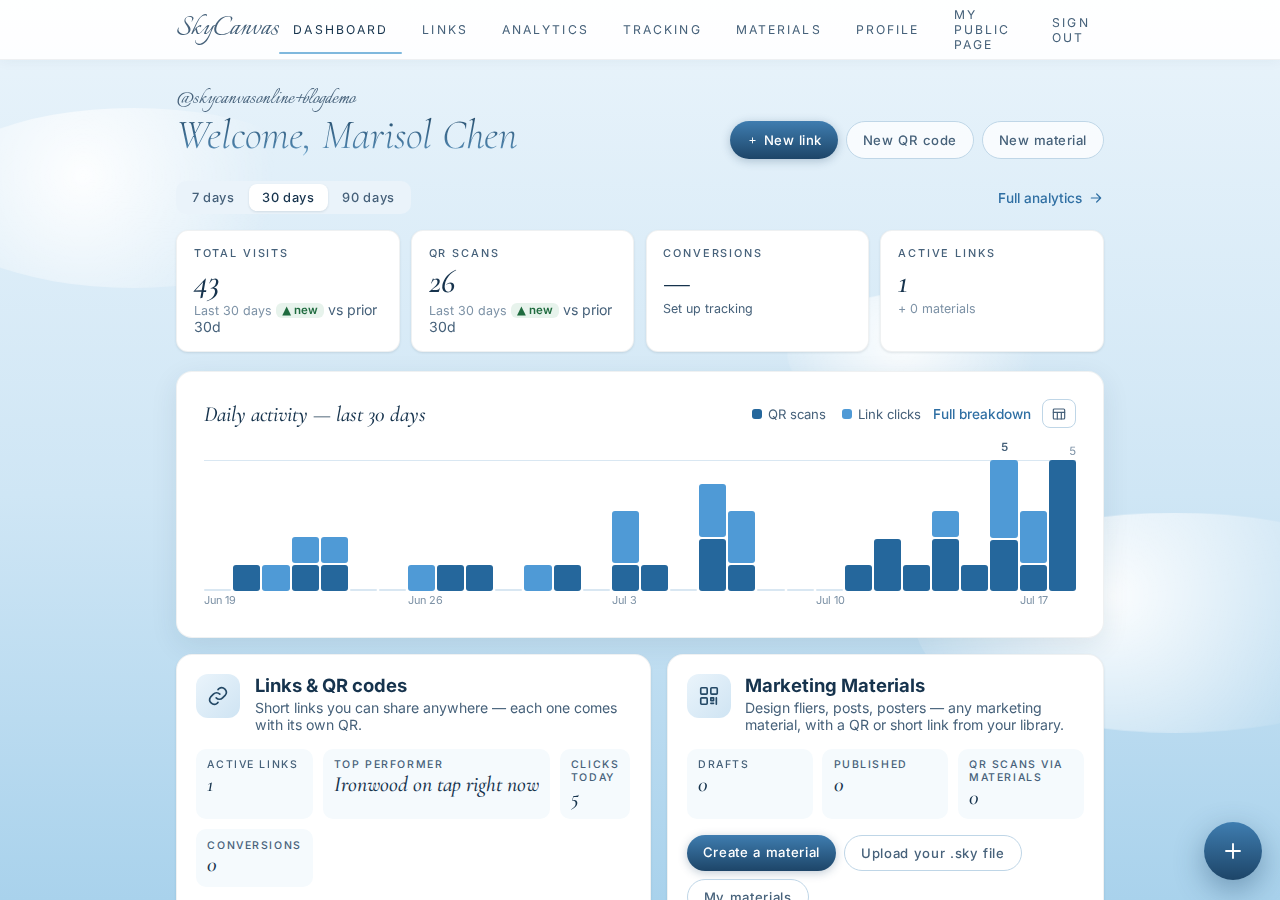
The SkyCanvas dashboard shows the whole picture at a glance. Total clicks, total QR scans, conversions, number of active links, and a daily activity chart. The scans line has a clear rhythm: quiet mornings, a bump at lunch, a long climb from 5 pm, a peak around 8, a tail into close.
That rhythm is useful on its own. If the scans drop off a cliff on a Tuesday, that is the night to pull a stronger keg out of the walk-in.
7. Use analytics to decide what to pour next
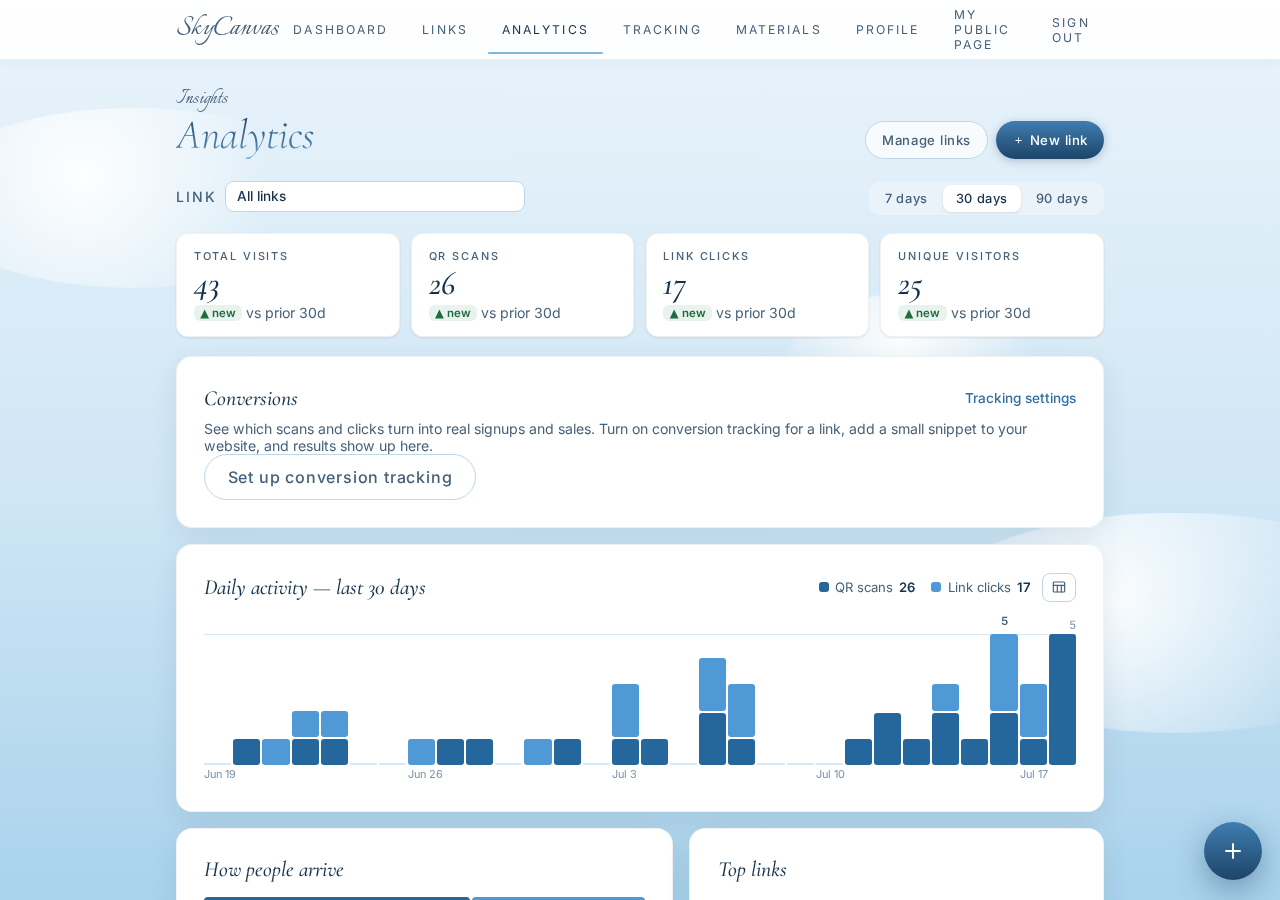
The per-link analytics page goes deeper. Marisol can see how many of the visits are from QR scans versus people typing skyc.online/ironwood-taps directly, what devices they are on, and how the numbers move over time. When a rare barrel-aged stout goes on, the scans spike for two days and then flatten as word spreads. When a mild pale ale goes on, the scans barely move. That is a signal.
She started rotating the tap order to match: put the beer with the most scan interest on tap one, closest to the door, so first-time visitors see it as they walk in. Regulars still find their usual pours, but the traveler who came in specifically for the barrel-aged stout does not have to hunt.
What changed for Ironwood
No more Sharpie corrections on paper menus. No more chalkboard shame. The tap list is current the moment a keg blows, because updating one page updates every table. And for the first time, Marisol has a rough count of how many people care enough to check.
If you run something that changes faster than your printed materials can keep up, you can set up the same thing tonight. One live page, one short link, one branded QR, and a dashboard that tells you whether anyone is looking.
Start at skycanvas.online/register and give your menu a permanent home.
Ironwood Taproom is a fictional business we created to show a real SkyCanvas workflow. Every screenshot is real, captured live while writing this guide.